



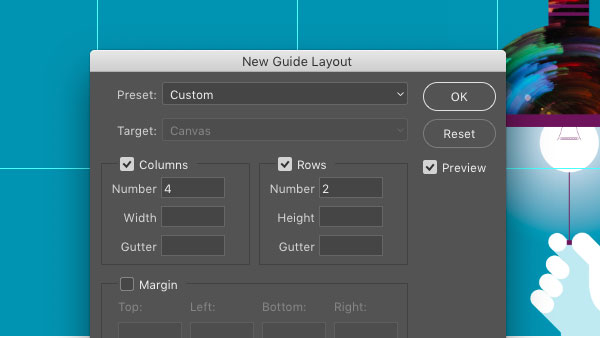
Ever need to create a set of regularly-spaced guides in a Photoshop document? Or use guides to create a margin area all around a Photoshop document? Then head right to the View menu and choose New Guide Layout. You can divide the canvas up into a specific number of columns and rows, or set the exact width and height of the columns and rows. The dialog box also has an option for clearing any existing guides.
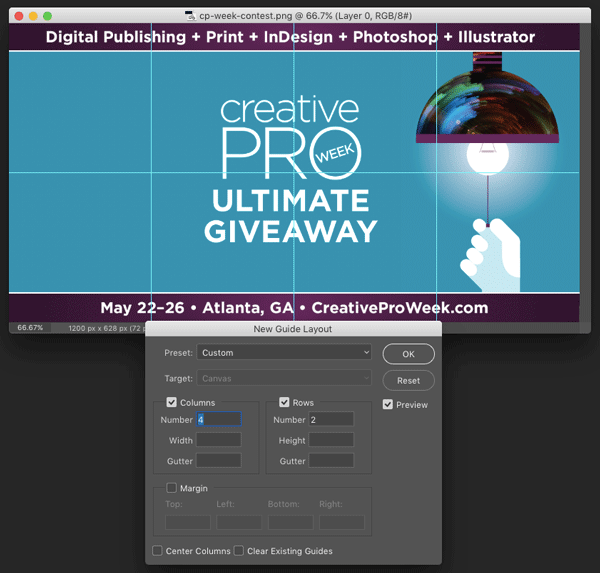
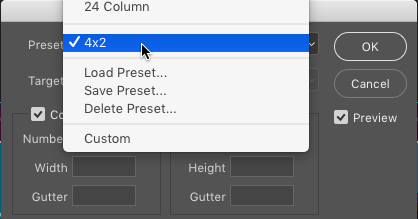
And if you want to use the same set of guides on regular basis, set them up and choose Save Preset from the Preset menu.
This article was last modified on July 6, 2022
This article was first published on February 13, 2017
Commenting is easier and faster when you're logged in!

Recommended for you
Free Webinar: Photoshop Power Hour
Learn the latest Photoshop techniques and pro-level tips to help you work faster...

Monochrome Magic
How to get the best results when converting photos from color to black and white...

CreativePro Video: Add a Sky Effect to an Image in Photoshop
See how to quickly replace a sky in Photoshop.