




JB wrote:
Is there a way to adjust the size of the pasteboard (horizontally)?
Sure! Open the Preference dialog box and go to the Guides & Pasteboard area. There you’ll find the Pasteboard Options for Horizontal Margins and Vertical Margins.
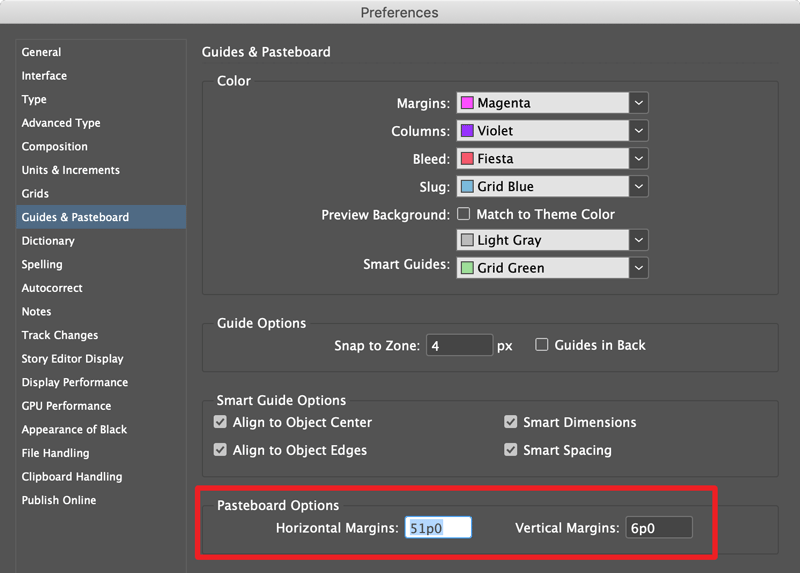
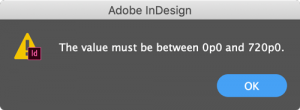
You can set either of them to any value between zero and ten feet (720 picas)!
Why the Pasteboard won’t resize (or resizes unevenly)
If you’re trying to reduce the size of the Pasteboard and it isn’t working as expected, it’s almost certainly because there’s an object that would otherwise be left in the netherworld that lies beyond the Pasteboard, and InDesign won’t allow that.
So if you have a situation like this:

And try to make the Pasteboard so small that the object won’t fit at its current location:

InDesign just makes the Pasteboard as small as it can, even creating the bizarre situation where the Pasteboard is wider on one side.

Of course, it would also be nice if InDesign told you that’s what it was doing, but that’s another story…
This article was last modified on November 11, 2021
This article was first published on February 24, 2020
Commenting is easier and faster when you're logged in!

Recommended for you

Find All Headings Based on a Pattern
Here's a short and easy GREP pattern you can use to find one-line paragraphs
Packaging Graphics on the Pasteboard with the Book Panel
If you have to send packaged files and for whatever reason still have important...
Nested versus Next
Question: I am creating nested style-sheets for a magazine. The problem is that,...