



A recent post in Adobe’s User to User forum complained about a problem with PDFs exported from InDesign CS5. The issue was occurring with type on a path having characters randomly dropping out of the PDF. Adobe’s Matthew Laun got involved, asked the poster for a test file and confirmed the behavior. He also discovered that it was happening with soft returns. Remove the soft returns and the PDF exports just fine.
I was able to confirm it myself as you can see by the screenshots from InDesign CS5 and the resulting PDF below:

Everything appears normal in the InDesign file. But notice that hidden character at the end. That’s a soft return.
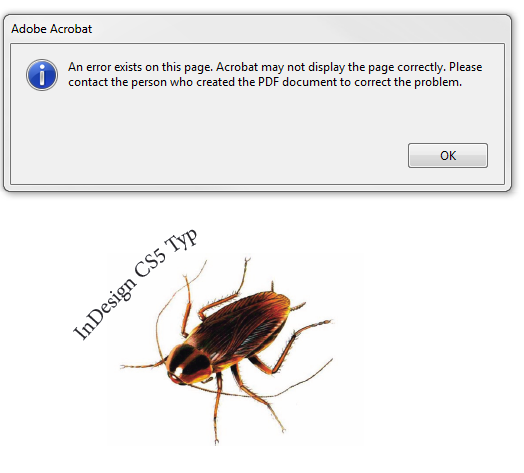
Type drops out in PDF
As you can see, Acrobat is fully aware that something isn’t right and in this case it’s pretty obvious what that is.
While I’m not a fan of using soft returns, there’s no debating that this is not intended behavior and will hopefully be fixed in a future dot release. Luckily this is one bug that’s very easy to work around.
This article was last modified on December 20, 2021
This article was first published on September 3, 2010
Commenting is easier and faster when you're logged in!

Recommended for you

My Previous Gem
InDesign CS5 introduces many little gems that make a big difference, such as thi...
Changing sizes… mixing scaling and sizing
This is a story about scaling and sizing objects? InDesign CS5 introduced the ab...
Hidden Gems: The Layers Panel in CS5
You can now let go of your Illustrator envy: CS5's Layers panel really rocks!