



Danielle wrote:
I have a bunch of text that I want to wrap within a text frame without any regard for where the words should break phonetically. I want words to break randomly when the text reaches the right edge of the frame.
What a curious request! I can see that this could make an interesting background pattern or something — basically, text running from line to line without any hyphens at the ends of lines. I can think of one way to create this effect, though you’ll need InDesign CS3 to do it:
1. Place the text cursor in the story and choose Edit > Find/Change.
2. Switch to the GREP tab and set the Search pop-up menu to Story, so that it only affects the current story.
3. Type a period (a dot) in the Find What field (that’s the code for “find any character”)
4. Type $0~k in the Change To field (that’s the code for “the same character you found, followed by a discretionary line break”)
5. Click Change All
Here’s an example of some text… first before:
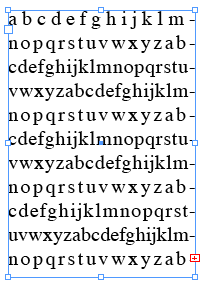
and here’s what it looks like after the GREP find/change:
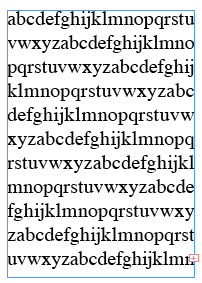
Because every character is now followed by a discretionary line break, InDesign will break the line naturally after filling the frame. I hope that helps! Seems like there must be another way to do it; perhaps other people have ideas?
This article was last modified on December 19, 2021
This article was first published on October 16, 2008
Commenting is easier and faster when you're logged in!

Recommended for you

Merging Two Tables Together in InDesign
Sharon wrote: Is there any way to merge two tables into a single table? The bad...
Numbering Lines of Text
S.A. wrote: Do we have any option of inserting auto line numbers in InDesign CS3...
A Spanning Headline and a Line Between the Columns of Text
A solution to Bonnie's layout question involving rules, splits, spans, and more