Sharon Steuer

Sharon Steuer

About

For three decades Sharon Steuer has pioneered the merging of traditional and digital art forms. In addition to being an artist, Sharon is also the author of numerous books, online tutorials and articles including 14 editions of the best-selling Adobe Illustrator WOW! Books (Peachpit Press), Creative Thinking in Photoshop (New Riders), and “Artistic Painting with Illustrator” courses for lynda.com/LinkedIn Learning (now “archived”—ask Sharon for direct links).

Article
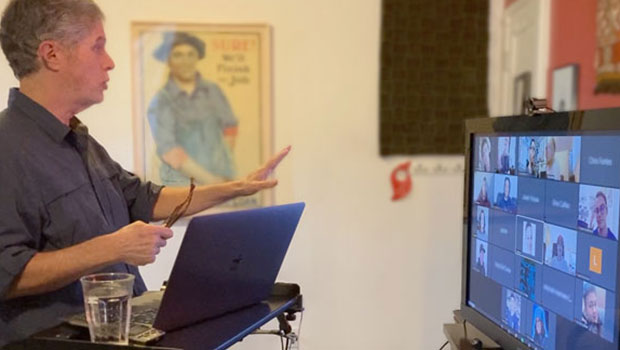
Why You Should Consider Using an External Webcam

In a world where remote meetings and classes are the new norm, an external webcam can offer a clear step up from your built-in camera.

Learn more
Article
Creating Color Variations with Illustrator’s Dynamic Symbols

Steven Gordon shows how to use the power of dynamic symbols to quickly develop a collection of icons in Illustrator.

Learn more
Article
Pattern Making in Adobe Illustrator

Learn how to create a pattern or edit an existing one by adjusting repeats, varying spacing, offset, and overlap.

Learn more
Article
The Digital Art Studio: Recoloring a Scan with Illustrator

How to recolor Illustrator images with a new color palette—and do it quickly.

Learn more
Article
The Digital Art Studio: Patching Text without the Fonts

How do you fix a typo when you don’t have the correct font? After my beloved studio group lost its lease last year, a batch of us were able to form a new studio for 12 otherwise displaced artists. One of my new studio-mates, Laurie Wigham, inherited the role of resident designer for the studio. […]

Learn more
Article
The Digital Art Studio: Rescuing Old Photos #1

As the representative digital professional in my family, I’m frequently tapped to rescue an aging photo. Although occasionally a photo is worthy of me devoting a professional level of retouching attention, in most cases the request is simply, “if it doesn’t take too long, can you do something so I can see it again?” Especially […]

Learn more
Article
The Digital Art Studio: Quick Fixes #4 (Exactly Correcting Proportion)

The most common request I get from colleagues is for help with prepping photos of their work for promotional purposes and portfolio submissions. This Quick Fixes mini-series evolved from breaking down many of those common steps. The previous posts in the series used a square format image to minimize steps needed to correct distortions. This […]

Learn more
Article
The Digital Art Studio: Quick Fixes #3 (Square Mask References)

This post continues to explore some of the ways to correct the proportions of an image. To reduce the number of steps, each of these posts builds on the techniques of the previous one. Before moving on to configuring exacting proportions of non-square rectangles, this Quick Fix sticks once more to square images. To recap […]

Learn more
Article
The Digital Art Studio: Quick Fixes #1 (Square Art)

This is the first in a series of articles on quick fixes you can apply to photos that need squaring-up. In order to prevent distortion when I photograph artwork, it’s essential that the overall proportions of the digital version match those of the original. In other words, it’s not enough for the edges to be […]

Learn more
Article
The Digital Art Studio: Illustrator’s New Crop Image Button

The 2017 release of Adobe Illustrator added a new feature you can use to permanently crop off pixels in raster images. When you’re ready to crop, just select the placed image and click the new Crop Image button in the Control Panel. If the image is linked when you first click Crop Image, you’ll see a […]

Learn more
CPW Icons

June 29–July 3, 2026

Nashville, TN (and online)