




A relatively new plug-in from Digital Film Tools gives you the ability to add customized rays of light to a photo. Once you install the plug-in, you can access its interface from within Adobe Photoshop, Adobe Lightroom, or Apple Aperture, to control ray length, brightness, direction, and color.
In addition to inserting realistic rays of light into a scene where they might really occur, you can also use Rays to create dramatic text effects:

When the print or Web project you’re working on calls for a photo or text with high drama, Rays may be the right tool for the job.
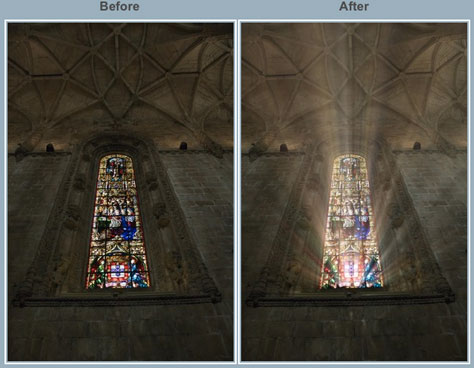
Rays costs $50.
This article was last modified on December 14, 2022
This article was first published on May 9, 2011
Commenting is easier and faster when you're logged in!

Recommended for you

Removing Hair in Photoshop
A few years ago I was asked by a British newspaper if I could take a dozen celeb...

Reducing the total ink limit in CMYK images using Photoshop
Having too much total ink in your CMYK document is a pretty common problem. Sure...

How to Make a Manga Character in Photoshop
The recent film Alita: Battle Angel stars Rosa Salazar as a cyborg, a human brai...