



It’s time to reveal the solution—and the winners—for this month’s InDesignSecrets contest!
Here’s the scenario:
While checking the pages of a long document, you notice that there’s something wrong with the appearance of some of the page numbers. The single-digit numbers look fine, but the spacing of double-digit numbers is squished horizontally, to the point where the numbers are crashing.
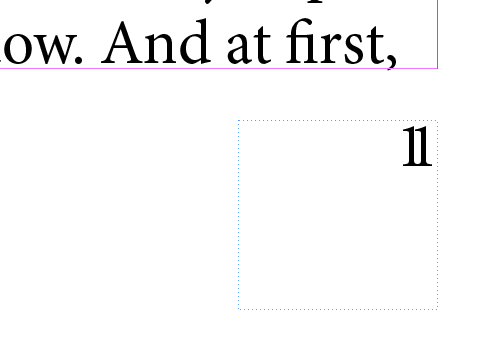
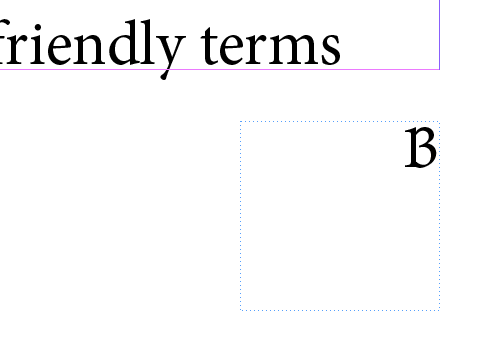
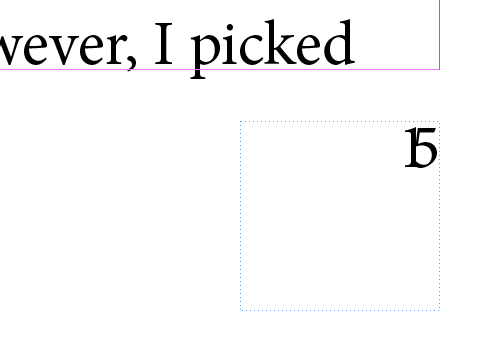
The problem gets even worse when you reach pages with triple digits.
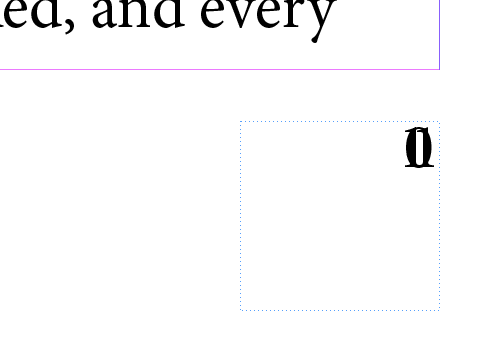
The page number is by itself in a text frame on the master page. There text frame has more than enough room for triple-digit numbers and multiple lines of text. There are no other items on the master page. No tracking or kerning have been applied.

Why are the page numbers getting pinched?
The answer has to do with the fact that the page numbers were created with the Current Page Number special character. This is actually a text variable, and like other text variables in InDesign, if there’s not enough horizontal room to accommodate the Current Page Number in a text frame, it will get squished horizontally instead of wrapping to another line or becoming overset. In this particular case, a First Line Left Indent and a narrow text frame meant there wasn’t enough room for double or triple-digit page numbers. Other things like a nearby object with text wrap could cause the same problem.
And the winner of this contest is…
Laura Greenwell
Laura wins full access for 3 months to the video archives for PePCon 2016 or the CreativePro Conference (up to $495 value!).
Thanks to everyone who entered, and be on the lookout for another contest with a new great prize next month!
This article was last modified on July 25, 2019
This article was first published on October 17, 2016
Commenting is easier and faster when you're logged in!

Recommended for you


CreativePro Video: Using the Touch Type Tool in Illustrator
In this week’s CreativePro video, Mike Rankin demos how to adjust type with Illu...

Pantone Universe Stationary Makes Colorful Debut
Pantone, Inc., the global authority on color and provider of professional color...