



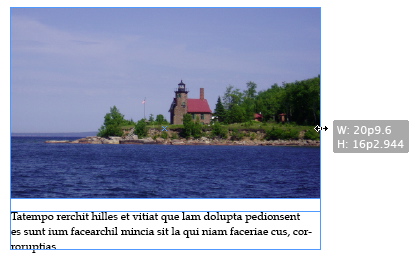
InDesign CS5 features a new “transformation bounding box” that appears around selected objects. If you’re an Illustrator user, you may already be comfortable with this idea, as Illustrator has had such a bounding box for a number of years.
My first reaction to this new addition was that it was just more visual clutter on the screen. But alas, it turns out that those crazy Adobe engineers knew what they were doing! The bounding box is incredibly useful for many things. I want to show you my favorite: resizing multiple objects at once.
Say you have 3 text frames like this:

In the past, if you wanted to make each frame longer, you would need to pull the bottom of each frame down individually. Now, you can just grab the white square at the bottom of the bounding box, pull and each frame will grow longer simultaneously.

Or, if you have an image and a caption,
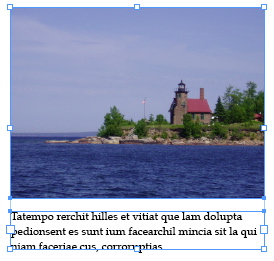
…and you want to make the frames for the image and the caption both wider, just pull on the white square on the right side of the bounding box, and both frames will grow wider simultaneously.

This is indeed one of those “little things” but it can save you a lot of work!
This article was last modified on December 20, 2021
This article was first published on December 13, 2010
Commenting is easier and faster when you're logged in!

Recommended for you

Tip of the Week: Creating Cast Shadows
How to create a realistic cast shadow effect on native objects in InDesign.
TypeTalk: Timesaving Tips for Designing with Type, Part 2
Most design projects are done on a tight deadline. That fact, coupled with many...

Photoshop Tip: Quickly Resize the Photoshop Canvas with Reveal All and Trim
If you’ve ever designed with type in Photoshop, you’ve probably enco...