




Notes are a great tool for saving comments and questions alongside the content in your InDesign documents. And it would also be great if you could export those notes as PDF comments so other folks who didn’t have InDesign could read and respond to them as well. Unfortunately, there’s no command in InDesign to convert notes to comments. But there is in InCopy! And you can make use of it, even if you never use InCopy for anything else. Here’s how.
InCopy is part of Adobe’s Creative Cloud offerings, so if need be you can find and install it from the Apps tab in the Creative Cloud application.
Then just open your InDesign file in InCopy (use the File > Open command). You’ll see an alert if you don’t have any InCopy content in the InDesign file. Just close it. In fact, you don’t need any InCopy content since we’re not going to edit the document.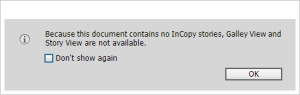
Your layout should look the same as it does in InDesign but you won’t have any editing tools available. Again, that’s okay.
All we want is a PDF so just as you would in InDesign, choose File > Export > Adobe PDF (print). Note that you won’t see anywhere near the number of choices of export formats that you would in InDesign.
Here’s where the “magic” happens. There’s an item in the export dialog that I have long wished was in InDesign:
Choose export and when the PDF opens you’ll find your note(s) converted to comment(s):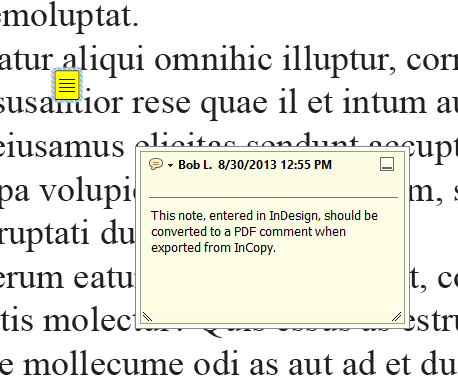
This article was last modified on March 2, 2026
This article was first published on December 9, 2014
Commenting is easier and faster when you're logged in!

Recommended for you

Interview with the InComparable Anne-Marie Concepcion
Q&A with Anne-Marie Concepcion, who is presenting at The InDesign Conference 202...
Tips to Control Photoshop Layers
Khara Plicanic shares smart Photoshop Layers panel tips to help you find and man...
How to Convert Fonts to Outlines in a PDF
If you need to provide a PDF with fonts converted to outlines to your print serv...