



When you start using InDesign CS3 (and the other CS3 applications) and export your first PDF file, you may notice an addition to the Adobe PDF Preset menu: You’ll see a new entry called PDF/X-4. To explain what it is and why it’s there, I need to give you a little background.
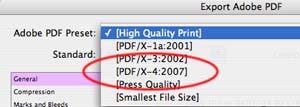
I’ve written about exporting PDF before in blogs about Choosing the Right PDF Preset, Exporting or Using Distiller, and Customizing PDF Presets. The PDF/X standards were first developed in the mid 1990s to eliminate errors in a print workflow by defining some minimum standards for PDF files intended for print production?for example, ensuring that fonts are always embedded and also excluding certain kinds of objects that can derail a print workflow (multimedia content, for example).
There are several different PDF/X standards. In my previous blogs, I wrote about the two that are built into InDesign and the Creative Suite applications: PDF/X-1a supports CMYK and spot colors only. PDF/X-3 also supports those color spaces, but also supports color management and embedded color profiles for images. Both of these PDF/X standards require that any InDesign transparency be flattened.
Because many RIPs (raster image processors?the processor that controls a printer) can’t handle live transparency, InDesign CS3 uses a technology called flattening. Flattening converts layered or stacked objects with transparency into a single, flat opaque layer that the RIP can understand, but it tries to maintain the quality of vector objects and type as much as possible. InDesign controls the process by using transparency flattener presets. For high quality printing, a print service provider would usually choose the High Resolution setting when printing or creating a PDF file.
However, having to do flattening is a workaround necessary because the RIPs most print service providers now use must convert everything in a PDF file to PostScript. The PostScript language that controls printers was developed before transparency existed. This is now changing! In 2006, Adobe announced a new printing technology for natively processing PDF files through a RIP that doesn’t involve conversion to PostScript. It’s called the Adobe PDF Print Engine.
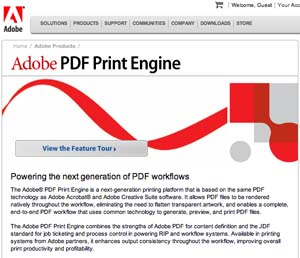
The Adobe PDF Print Engine isn’t something you can go out and buy off the shelf. It’s software that Adobe licenses to its printing partners like Agfa, Screen, Heidelberg, Fuji, and so on to build into their next generation PDF RIPs and print workflow systems. These partners will be bringing out the first of these RIPs this year.
So where does PDF/X-4 come in? It’s a draft standard which is about to be approved as an ISO PDF/X standard. If you look at its settings in InDesign CS3, you’ll see that it is similar to PDF/X-3 in respect to color handling. It doesn’t convert colors to CMYK and spot colors like PDF/X-1a does, but supports a color managed workflow. It supports all the requirements for embedding fonts and images, and so on, that the other PDF/X standards do.
Primarily how it’s different is that PDF/X-4 supports including live transparency in the PDF file! Objects with transparency no longer will have to be flattened because it supports a workflow like in the Adobe PDF Print Engine RIPs where PDF stays PDF throughout the entire workflow. This will eliminate many of the tedious workarounds we now have to use (for example, turning on overprinting when there is an interaction between spot colors and transparency). It will maintain your artwork at the highest quality until the final printing process.
So you may not be able to use the PDF/X-4 PDF preset yet, at least until your print service provider has a RIP that supports it. But this is truly the way that PDF and print workflows are moving in this decade so you will be using it in the future.
In a second blog, I’ll tell you a bit more about PDF/X-4, and another exciting feature it supports: Carrying layers from InDesign into a PDF file for output.
This article was last modified on December 18, 2021
This article was first published on April 29, 2007
Commenting is easier and faster when you're logged in!

Recommended for you

Performing a Pre-Work Check
I had the opportunity the other day to open a file sent to me by someone I don...

This Month in InDesign Articles, Number 140
Our editor in chief, Mike Rankin, is out on holiday this week, which means I get...