



There are few things in life more heartwrenching than watching an InDesign user put together a layout without knowing the keyboard shortcuts available to them. Sure, some shortcuts are listed in the menus, but surprisingly many are not (View at 200%, Reset Kerning/Tracking to 0, Toggle Auto-Hyphenation on and off; to name a few).
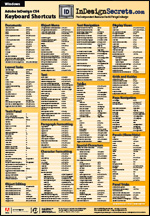 For those users, and for those of you who upgraded to InDesign CS4 but forgot to upgrade your poster, we’re happy to announce that our InDesign CS4 Keyboard Shortcut posters are now available for purchase in our InDesignSecrets Store. At 18″ by 26″ in full color, the shortcuts are hard to miss! We have a few posters still available for CS3 and even CS2, as well.
For details about our posters, including close-up views, prices, and a 30% coupon code discount (expires in a few weeks), go to our Poster Details page. Or if you just can’t wait, you can jump directly to the Posters section of the store and then just click the Buy button.
Thank you to the printing pros at Sells Printing for their wonderful work on what may have been their very first press-ready PDF created from InDesign CS4; and a grateful tip-o?-the-hat to our “beta tester” (and InDesignSecrets contributor) Mike Rankin, who made sure all the Mac/Windows keyboard shortcuts were correct!
This article was last modified on December 19, 2021
This article was first published on November 25, 2008
Commenting is easier and faster when you're logged in!

Recommended for you

Add More Images to your Multiplace Queue
Have you ever wanted to place multiple files from more than one folder at a time...
How to Choose a Different Artboard in an AI File
Need to switch from one artboard to another in the same AI file? This simple tri...
Relink from One Image File Type to Another
Need to relink all your TIF images to PSD (or JPG to PDF, or whatever)? CS4's Li...