



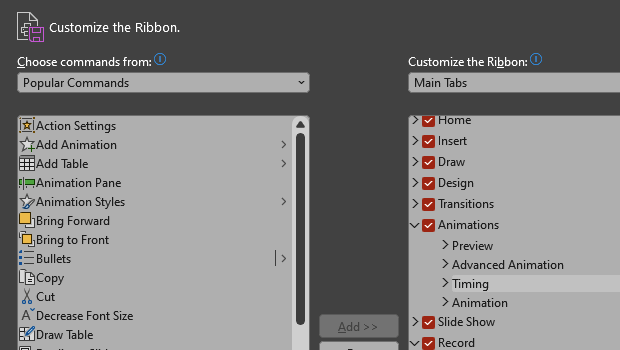
Make PowerPoint work for you, by customizing the Ribbon, hiding tabs you don’t use, and organizing tabs in the order of how much you use them. Here’s how.
On PC, either right-click on the ribbon or go to File > Options > Customize Ribbon.
On Mac, go to PowerPoint > Preferences > Ribbon & Toolbar.
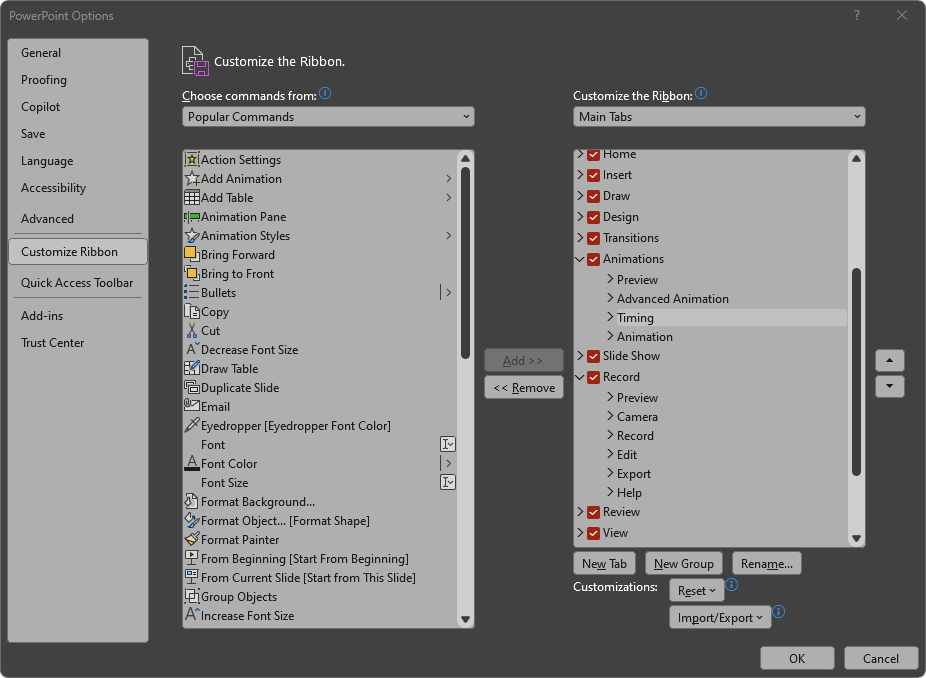
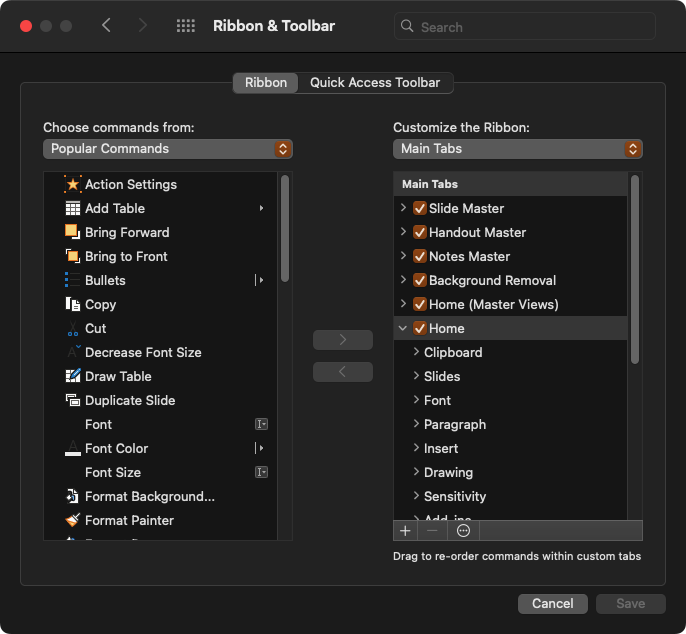
Uncheck tabs you don’t want to see and rearrange them in an order that is convenient for you.
You can also reorder or remove individual items within the tabs! I usually hide the Record, Help, and Acrobat ribbons completely.
This article was last modified on August 11, 2025
This article was first published on January 2, 2025
Commenting is easier and faster when you're logged in!

Recommended for you

How to Convert PowerPoint Slides to Google Slides
Learn how to convert your PowerPoint deck to Google Slides and how to fix the th...
How to Remove a Color From a Character Style in InDesign
Learn how to remove a color from a character style in InDesign, so that the text...

What's New with CC Libraries
When Adobe MAX arrived in Los Angeles the first week of November, it brought wit...