




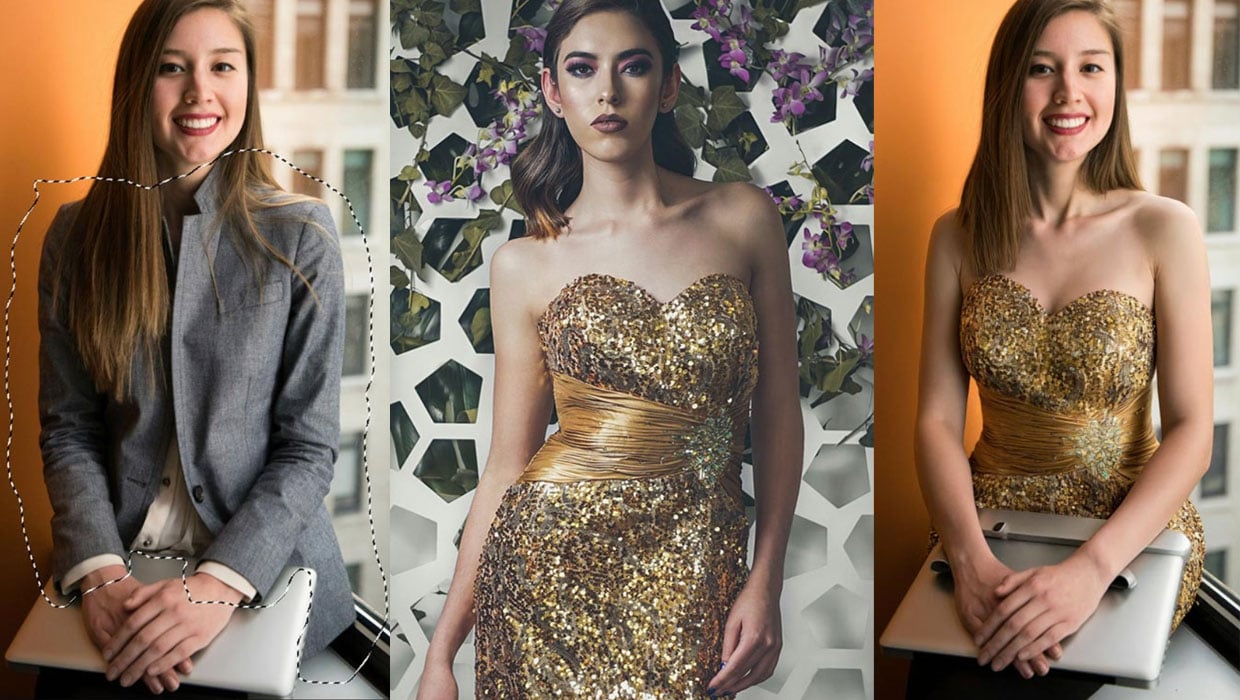
In this “Three Minutes Max” video, Jesús Ramirez packs a couple of seemingly magic tips for enhancing images in Photoshop. He first color corrects a photo using curves by redefining the “auto” setting. Jesús then uses generative fill to composite two images together seamlessly and to provide alternate options to the content of the composite.
Three Minutes Max comes from a fun—yet very competitive—session at our annual CreativePro Week conference. Speakers have three minutes to wow the audience with the tip and win a prize for a lucky conference attendee.
Subscribe to the CreativePro YouTube channel for more helpful design tips!
This article was last modified on August 29, 2025
This article was first published on December 12, 2023
Commenting is easier and faster when you're logged in!

Recommended for you
Generating Image Content with Reference Objects in Photoshop
Learn how to replace individual elements within an image using reference objects...

How to Create a Stylized Palette From an Image in Illustrator
Learn how to quickly create a color swatch palette from an image in Illustrator...

How to Create Photoshop Brushes Using AI
Learn how to use Photoshop’s AI-powered Generative Fill feature to create a cust...