





You’ve heard of Christmas in July? Well how about snowfall in June? Or more specifically, how about making snow fall inside a Photoshop image? And I’m not talking about a mere static image of snow, but realistic animated snowflakes that add dimension and life to a wintry image. That is the kind of thing you can learn how to create in a new lynda.com weekly series by the legendary Bert Monroy, called The Pixel Playground.
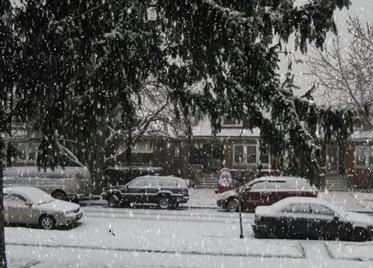
Each Friday, Bert will offer a new fun, self-contained project to inspire the imagination and expand the skillset of digital artists.
This week’s debut video showed how to use Photoshop filters and the Timeline panel to add moving snowflakes to an image. Check it out. But be warned, the technique is so cool, and the snowfall so realistic, that you might want to put on a sweather before playing the video.
This article was last modified on June 10, 2013
This article was first published on June 10, 2013
Commenting is easier and faster when you're logged in!

Recommended for you

Which Photoshop Content-Aware Feature Should You Use?
In Photoshop, content-aware features make automatic edits such as seamlessly ble...

Create Easy 3D Text Effects with Retrolift Photoshop Actions
I know that “flat design” is enjoying its 15 minutes of fame right now, but some...

Using TinyPNG to Reduce Image File Sizes
Exporting a PNG file from Photoshop with transparency is a key requirement if yo...