




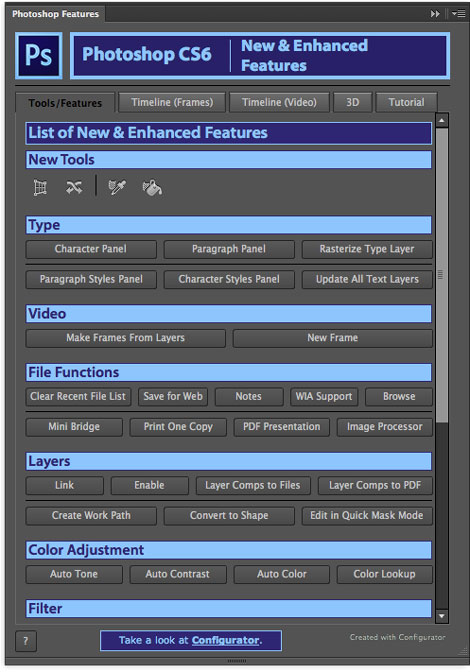
Earlier this month, we had news about a free extension for InDesign aimed at helping users learn all the new features in CS6 through a panel inside the application. Turns out that InDesign users aren’t the only ones receiving this kind of treat. Adobe has also released a Photoshop Features panel for users to explore and learn new and enhanced tools and features in Photoshop CS6 and Photoshop CS6 Extended.
To get the Photoshop Features panel, first download and install the Adobe Exchange panel. Inside the Exchange panel, you can browse for many other extensions (both free and paid) to add features to your Adobe applications.

The panel includes tabbed views showing new and enhanced tools
Timeline features

3D features

And links to videos and tutorials where you can learn more

This article was last modified on June 30, 2023
This article was first published on October 29, 2012
Commenting is easier and faster when you're logged in!

Recommended for you

Duplica 4.0 XTension for QuarkXPress 8 Now Available
Badia Software was founded in 1998 with the release of Duplica XT for QuarkXPres...
Web Design Tips: Speed Up Your Web Graphics
This story is taken from "Speed Up Your Web Site." New Riders is offer...
Mohawk Introduces FSC Certified and Carbon Neutral Beckett Cambric: A Sustainable Linen Paper
Mohawk Fine Papers Inc. announces the relaunch of their premium linen paper grad...