




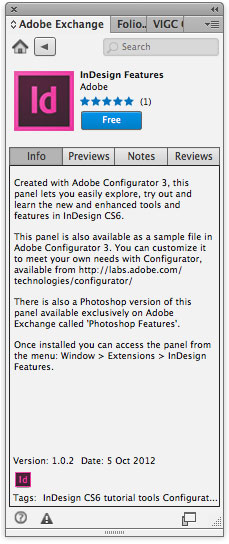
Adobe has released a new extension for InDesign that adds a panel you can use to explore all the new features in CS6.

To get the InDesign Features panel, you first need to download and install the Adobe Exchange panel. Inside the Exchange panel, you can browse for many other extensions (both free and paid) to add features to your Adobe applications.

Browse the free extensions for InDesign to find the InDesign Features panel.
This article was last modified on October 19, 2012
This article was first published on October 19, 2012
Commenting is easier and faster when you're logged in!

Recommended for you
Livestream Video: Creating Retro Looks & Type Treatments in Photoshop
Making new things look old is always a fun challenge!
Essential Illustrator Shortcuts
Save time with Kat Kremser's cheat sheet of Illustrator shortcuts!

A Script to Rotate Objects in InDesign with an Object Style
If you were to ask me how to use an object style to rotate objects in InDesign,...