




Organizers of Photoshop World Conference & Expo, scheduled Sept. 6-8 at the Mandalay Bay Resort & Casino Convention Center in Las Vegas, will be opening its Tech Expo, the largest in the history of the conference, to the public for one day only on Friday, Sept. 7 from 10:00 am to 5:00 pm. A free Tech Expo pass ($20 value) can be downloaded in advance at https://www.photoshopworld.com/freepass.html.
The Photoshop World Tech Expo showcases the latest cutting-edge Photoshop, digital imaging, and design related products and services. Exhibitors include Adobe, Microsoft, Epson, Canon, Dell, Wacom, Corel, Xerox, Nikon, CDW, FujiFilm USA, Office Depot, iStockphoto, onOne software, B&H Photo, Lensbabies, Digital Film Tools, Hill & Usher, eFrontier, and Microtek.
On Sept. 6, the first day of the Tech Expo, registered conference attendees will also experience a job fair co-hosted by National Association of Photoshop Professionals and CreativeHeads.net, as well as portfolio reviews sponsored by Layers magazine, and a live filming of PhotoshopUser TV.
Photoshop World Conference & Expo registration is $699 for the general public, and $599 for current NAPP members. A full conference brochure is available at https://www.photoshopworld.com. Photoshop World, the largest educational Photoshop event in the world, is produced by the National Association of Photoshop Professionals, and sponsored by Adobe Systems Incorporated.
About NAPP
The National Association of Photoshop Professionals (NAPP) is a dynamic trade association, and the world’s leading resource for Adobe Photoshop training, news, and education. An award-winning team of Photoshop experts, authors, consultants, and trainers lead the association keeping its members on the cutting edge of Adobe Photoshop techniques and technology. Visit https://www.photoshopuser.com for more information.
This article was last modified on January 4, 2023
This article was first published on August 17, 2007
Commenting is easier and faster when you're logged in!

Recommended for you

Illustrator Tip: Creating Custom Views
When you work in Adobe Illustrator, do you often find yourself zooming and scrol...
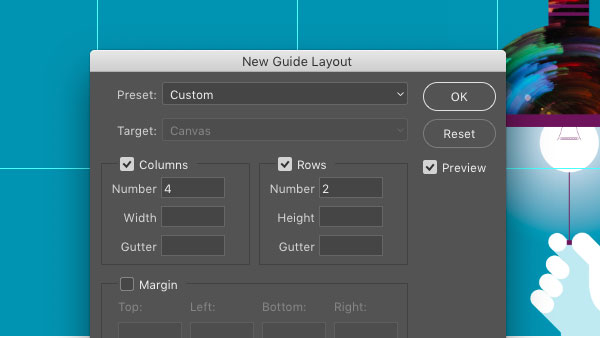
CreativePro Tip of the Week: Creating Guide Layouts in Photoshop
Ever need to create a set of regularly-spaced guides in a Photoshop document? Or...

Create Interactive Infographics with Infogr.am
Infographics can be a great way to make boring or obscure data into something be...