



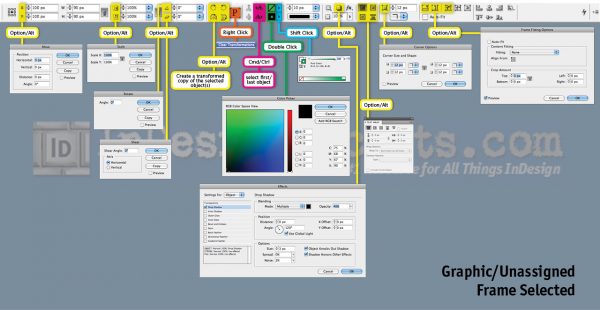
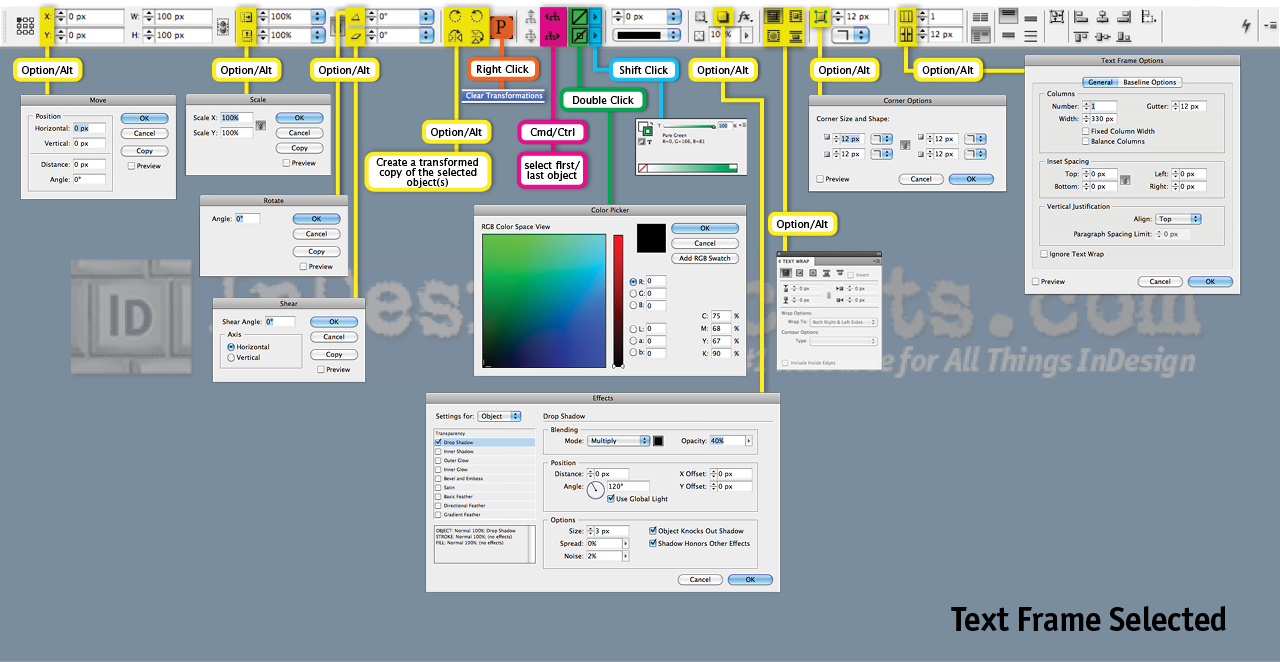
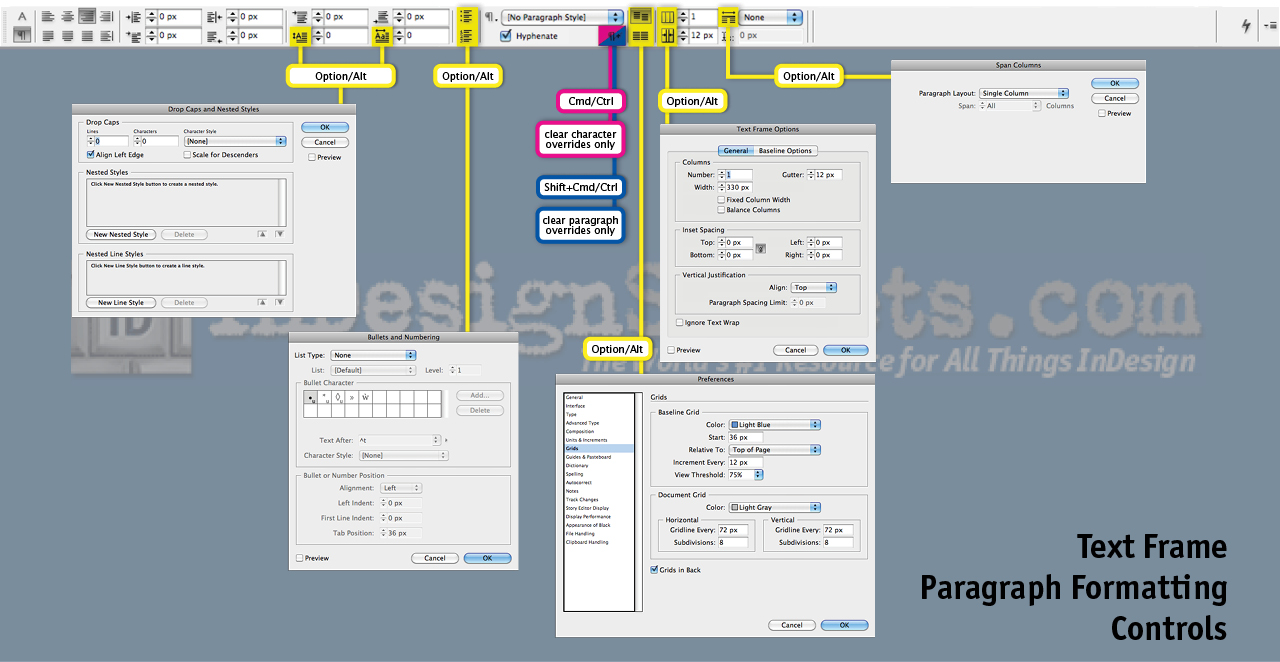
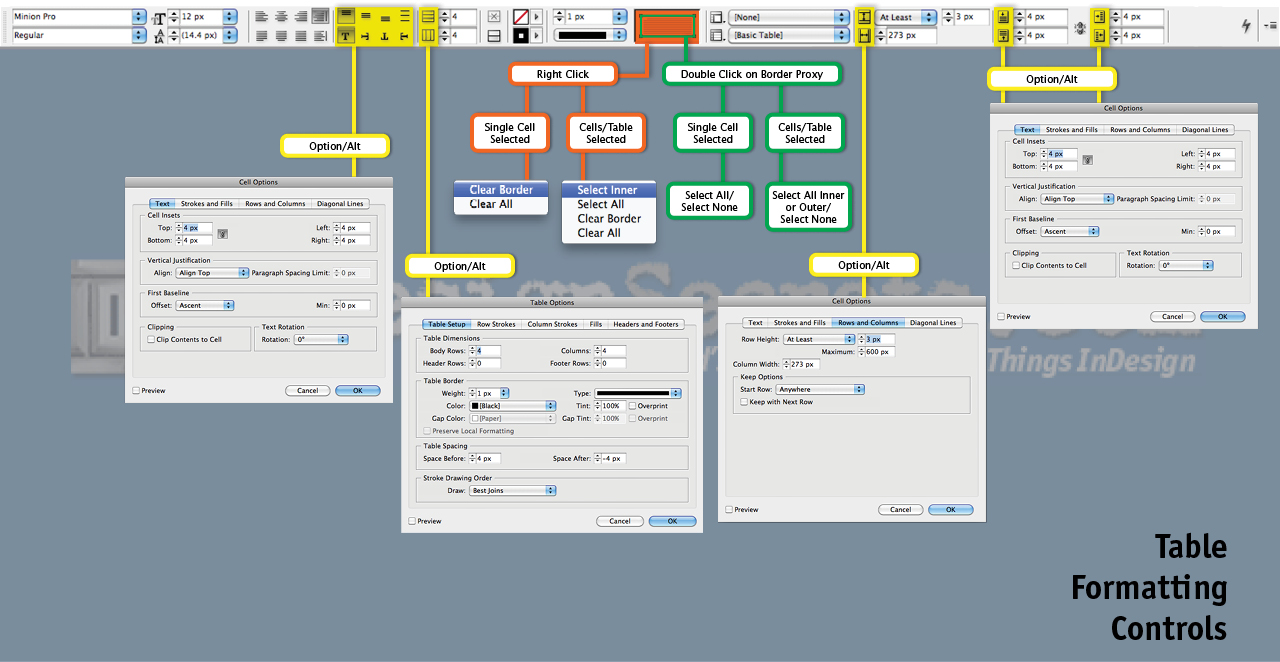
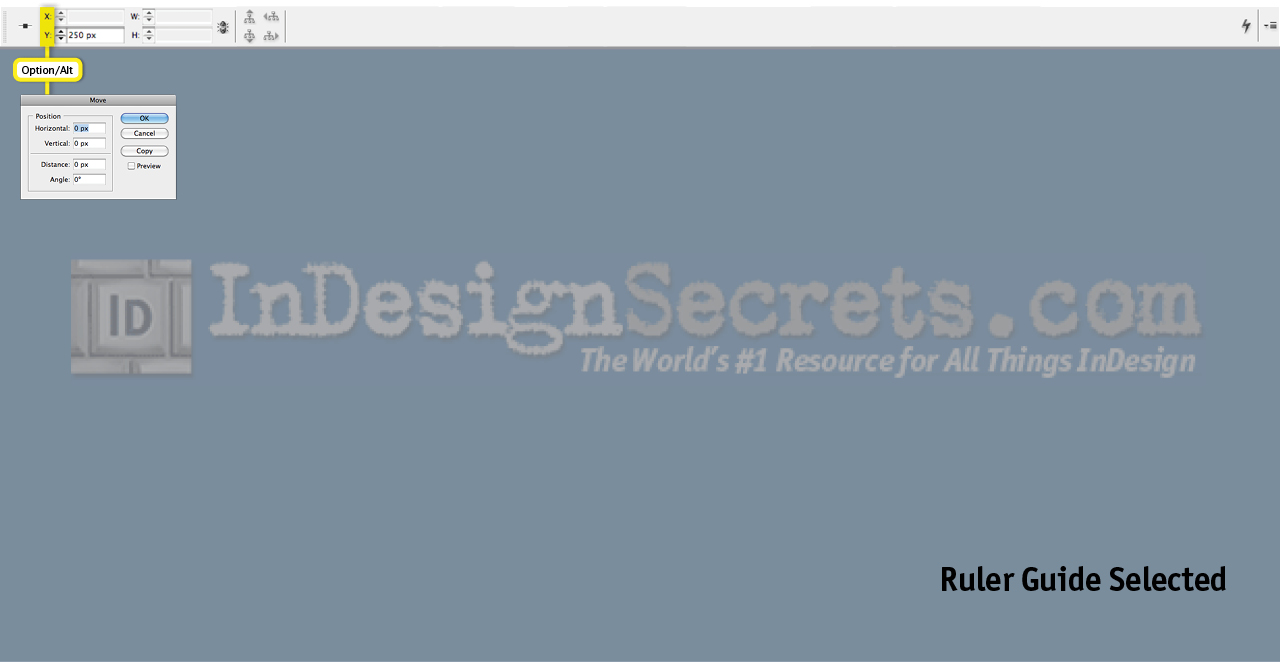
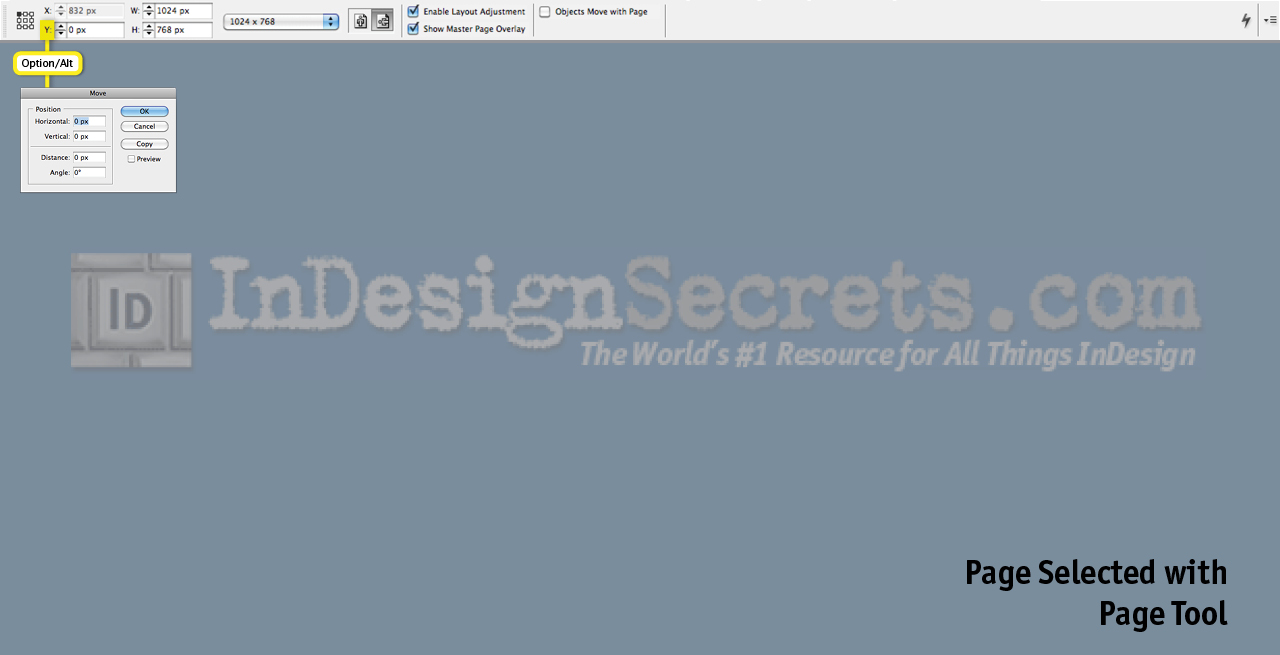
One of my favorite things about InDesign is that there are lots of hidden shortcuts sprinkled throughout the user interface. They make you more efficient, and they’re fun to use. Of course, you need to know where these shortcuts are and what keys to press in order to make use of them. We’re all about revealing the secrets around here, right? And I’m a firm believer in the value of “show me don’t tell me.” So here’s a set of maps that uncover all the buried treasures hidden in the Control panel. Click each image for the full size map. There are seven maps to show the panel’s various modes when you have different selections. Also bear in mind that what appears in your Control panel depends on your monitor size and whether or not you’ve customized the panel. Your buttons might be in a different configuration, but the shortcuts that work with those buttons will be the same. Enjoy digging for buried treasure, and if I’ve missed any gems, send me a “y’arrr!”


This article was last modified on December 21, 2021
This article was first published on August 31, 2011
Commenting is easier and faster when you're logged in!

Recommended for you

See Previews of InDesign Files Outside of Bridge
I'm a huge fan of Adobe Bridge, the free "digital asset management" program that...

Search All InDesign Keyboard Shortcuts Quickly with Show Set
Sign up for the InDesign tip of the week to get a new tip, roundups of new artic...
Tip of the Week: Get More Screen Space
With this tip to Get More Screen Space in InDesign, you can quickly collapse doc...