



To edit a placed graphic in the default application on your computer, hold Option/Alt and double-click on the graphic in InDesign. If you don’t want to use the default application, right-click on the graphic in InDesign and choose Edit With from the contextual menu.
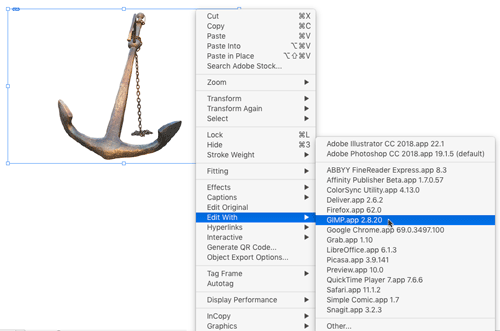
Also, you don’t have to be viewing a graphic in the layout to open it with another application. You can right-click on the graphic in the Links panel and choose Edit Original or Edit With.
This article was last modified on March 4, 2023
This article was first published on December 24, 2018
Commenting is easier and faster when you're logged in!

Recommended for you

Tip of the Week: Finding Style Overrides With Preflight
This tip was sent to Tip of the Week email subscribers on August 27, 2015. Sign...
Frame Tools vs. Shape Tools
Sign up for the InDesign tip of the week to get a new tip, roundups of new artic...
Tip of the Week: The Fast Way to Apply OpenType Features to Text
How to make whitespace characters visible in GREP expressions in InDesign.