




When the iPad first came out, two photographers I know tried it, didn’t like it, and handed it right back to Apple. But another photographer (Jennifer Wills, also an occasional CreativePro.com author) tried it and fell in love. Not only was the iPad much easier to take anywhere—from the boardroom to the beach—but her photos looked so damn good on it! Many photographers since have agreed.
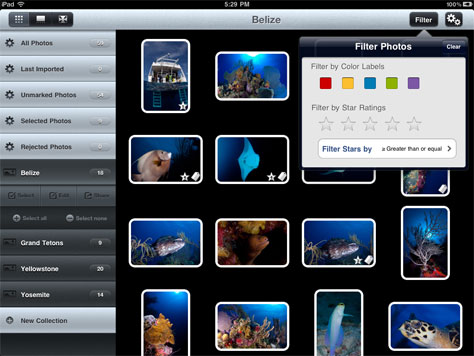
Now there’s an iPad app made especially for serious shutterbugs on the go. Photosmith lets you manage the images on your iPad. You can review your collection, sort it, rate individual photos, and assign metadata to them. And here’s the best part: All of the work you do in Photosmith travels easily into Adobe Lightroom when you import those photos. The app developers have worked closely with Adobe to make sure of that.
If you use Lightroom and want to work on your images in the field, give Photosmith a try. It’s $17.99 on Apple’s App Store.

This article was last modified on December 14, 2022
This article was first published on April 29, 2011
Commenting is easier and faster when you're logged in!

Recommended for you

Creative Fuel: Death of a Hero
Jef Raskin, a gifted technology designer, artist, educator, musician, and pionee...
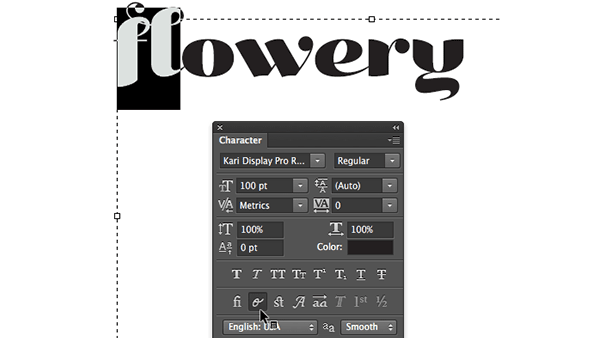
Photoshop Quick Tip: Applying OpenType Alternates
As Ilene Strizver wrote in a recent TypeTalk, you can use alternate characters i...
CreativePro Video: How to Turn Day into Night in Photoshop
In this week’s CreativePro video, Steve Caplin shows how to select a photo’s hig...