



It wasn’t bad, but suddenly in the middle of my all-day tutorial at the Creative Suite Conference, the previews for my Adobe Swatch Exchange files changed from file icons into swatch previews.
For instance, this is an ASE icon I have from earlier that day.
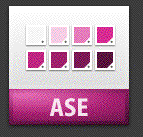
This is an ASE icon I have from earlier in the week:

But this is the preview, in Bridge, from an ASE file I created after the middle of the class.
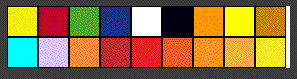
That icon is showing a preview of each of the swatches in the ASE file.
So here are my questions:
First, why are there two different colors and icons for the swatch file? I figure the green one has something to do with Creative Suite 2 as it uses the leaf motif from that version of the suite.
I guess the purple one is from CS3. But I can’t be sure that the swatches came from ID. Would another icon from PSD or AI be blue or orange? (I can’t test this as I can no longer make any of those types of icons.
Finally, what did I do to get those really cool swatch icons? I love them! But I would like to know what I did to get them.
This article was last modified on December 18, 2021
This article was first published on October 19, 2007
Commenting is easier and faster when you're logged in!

Recommended for you

Parentheses around page numbers in the Index panel
Ever wonder why some of your page numbers in the index panel are surrounded by p...

Tip of the Week: Rotate the Spread View With a Gesture
This tip was sent to Tip of the Week email subscribers on September 3, 2015...