



To edit a placed graphic in the default application on your computer, hold Option/Alt and double-click on the graphic in InDesign. If you don’t want to use the default application, right-click on the graphic in InDesign and choose Edit With from the contextual menu.
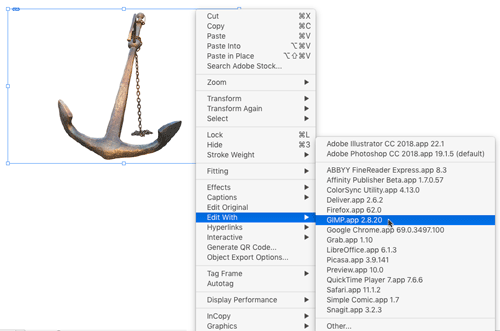
Also, you don’t have to be viewing a graphic in the layout to open it with another application. You can right-click on the graphic in the Links panel and choose Edit Original or Edit With.
This article was last modified on March 4, 2023
This article was first published on December 24, 2018
Commenting is easier and faster when you're logged in!

Recommended for you

InDesign Magazine Issue 100: 100 Tips, 100 Free Scripts
We’re happy to announce that InDesign Magazine Issue 100 (August 2017) is now av...
Tip of the Week: Pasting Photoshop Vector Paths into InDesign
There are three new Links panel icons in InDesign CC that you'll see when workin...
Tip of the Week: Faster Text Navigation
Sign up for the InDesign tip of the week to get a new tip, roundups of new artic...