



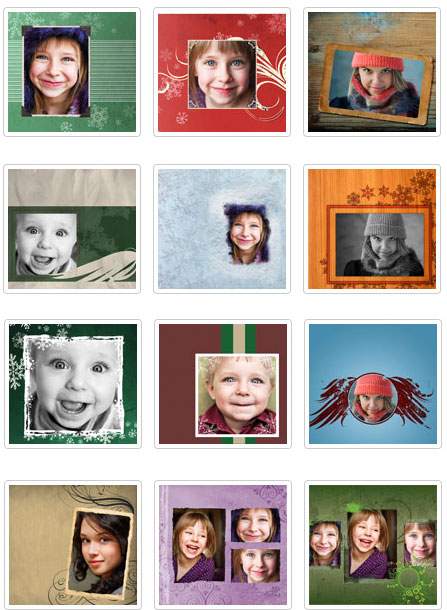
In his blog, Mike Wong has spread a little holiday cheer with the news that OnOne Software is giving away twelve Photoshop templates. The templates are photo frames that are well-suited for this season’s ubiquitous holiday cards and newsletters.
To download the templates, you’ll have to head to a page for OnOne’s PhotoFrame application. But don’t be confused — all 12 of the frames work in Photoshop. You don’t need PhotoFrame. Just scroll to the bottom section, entitled “Free Photoshop Templates,” and start downloading.
Mike notes that all of the templates are 300dpi files with multiple colored backgrounds, and “individual elements are on separate layers so you can hide them, move them, transform them, etc.”
Here’s a preview of the free Photoshop templates:
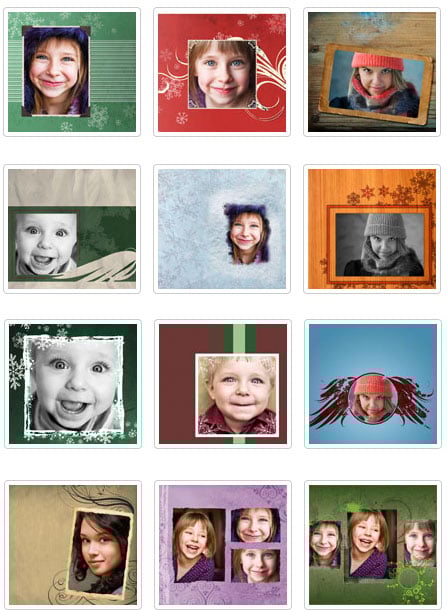
Download the files now.
This article was last modified on June 19, 2020
This article was first published on December 14, 2010
Commenting is easier and faster when you're logged in!

Recommended for you

How Photoshop Uses Bungee Cords to Define Color
The following excerpt is adapted from Speaking Photoshop CC by David Bate. Repri...

Creating Duotones in Photoshop
Duotones offer designers a great way to add visual interest to photos. Essential...

The Digital Art Studio: Quick Fixes #3 (Square Mask References)
This post continues to explore some of the ways to correct the proportions of an...