



Here’s a great InDesign mystery involving an unknown linked text file. It was solved and sent in by Melise Gerber. Here’s her story:
I opened a file, and it showed an out-of-date .txt file in the Links panel, with no location.

I tried searching through my document, and on my pasteboard, etc., and it didn’t exist. I also didn’t have the option to unlink the file.

I found this forum post, and decided to try the suggestion to relink the file and then unlink it.
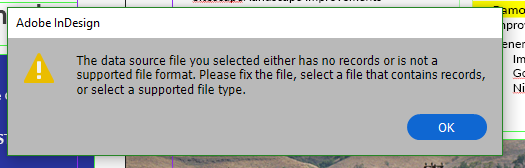
But I didn’t have any files called Additional Project Summaries.txt, so I created an empty .txt file, named it Additional Project Summaries.txt, and then tried to update the link in the Links panel. I then got an error message that stated that the new file I was trying to link to was not a usable data source.

That was the clue I needed! I opened the Data Merge window, and sure enough, Additional Project Summaries.txt was listed as the Data Source, and there were five fields listed.
I chose Remove Data Source and voila, my list of links no longer included the mystery file.
Also, the Preflight panel did not show an error message, even though there was a missing link. I have actually used this particular file a number of times, and never realized there was a missing link until I opened it with the Links panel open.
This article was last modified on July 7, 2021
This article was first published on February 12, 2019
Commenting is easier and faster when you're logged in!

Recommended for you

New Contest! The Case of the Inexplicable Drop Shadow
Solve this InDesign mystery for a chance at winning a great prize.

Flipping Frames to Make Front and Back of Page Align
Okay, so you’re making two-sided name tags (or anything else that has a fr...
Making Charts Accessible
Simple techniques to ensure your charts can be understood by readers with visual...