




For an experienced user, fixing overset text is so simple that we overlook it, but for a new user, overset text can be quite a conundrum. So I wanted to share with you several different ways to fix overset text.
To fix Overset Text Manually

To Fix Overset Semi-Automatically
- Click on the red box in the lower right of the text frame.
- Then go to (or make a new) page and Shift + Click on the top left corner of the margin area.
Note: You can make a new page after the current page by pressing shift + Ctrl + P.
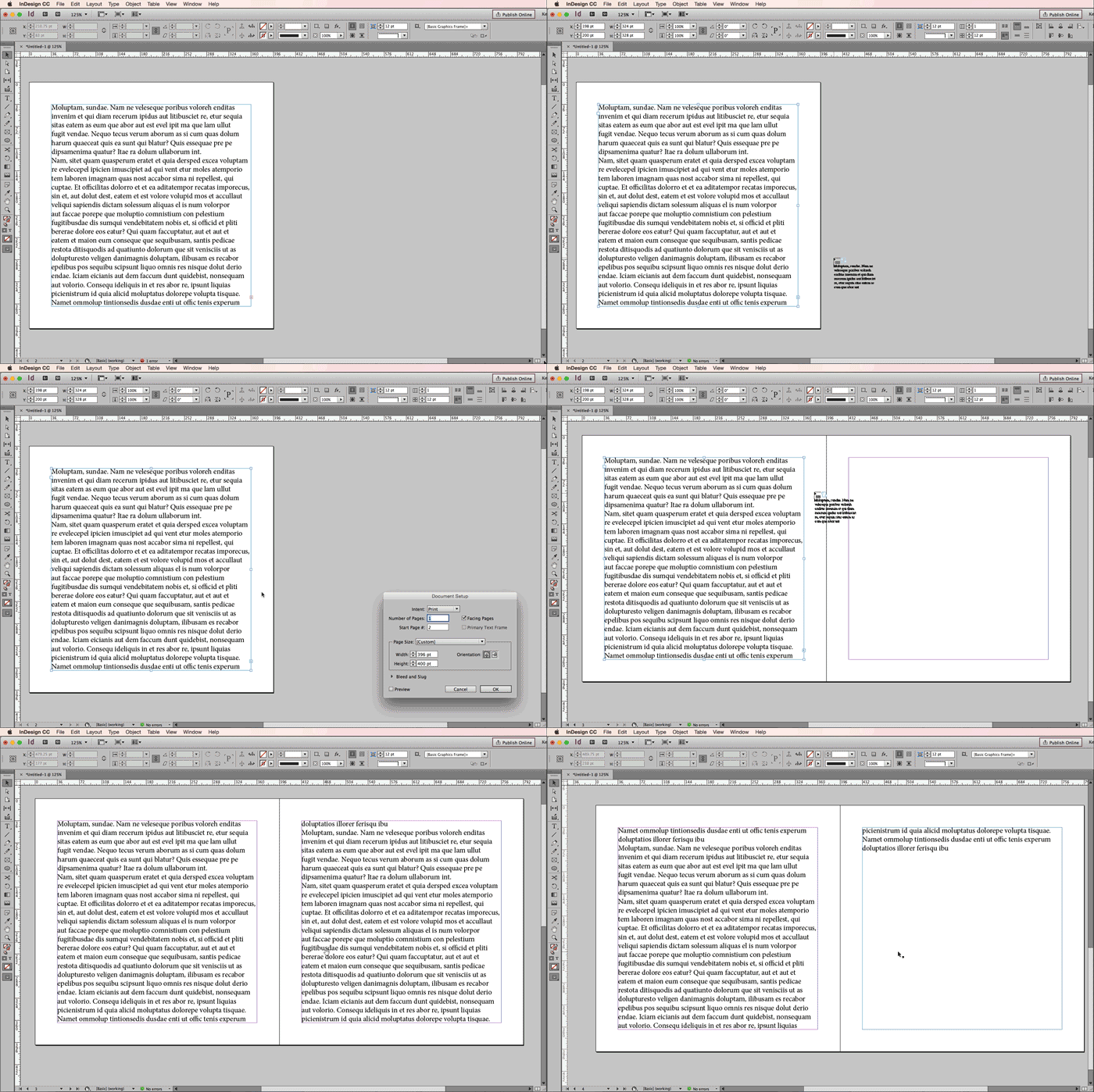
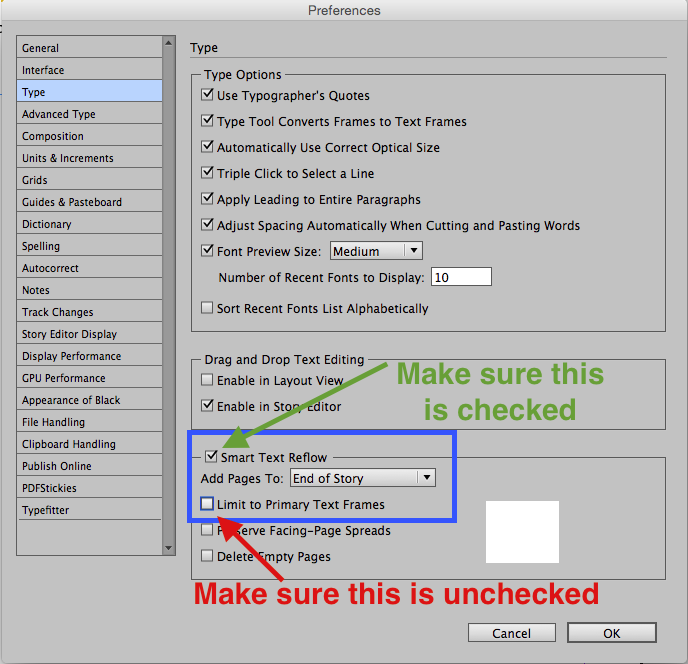
To fix overset fully automatically
Using Text Frame Options to Automatically Reveal Overset Text
Steve Werner write a great article several years ago explaining how to allow your frames to resize with your text. It involves setting the text frame options to Auto-Resize. This is a great trick for sidebars and other small text frames that have a variable height (or width) that is dependent upon the amount of content.


Fixing Overset Text in Tables
Ten years ago, Anne Marie wrote a post about revealing and fixing overset text in tables. The trick is to have the cell height setting set to “At Least.” Though the post is old, the information is still completely applicable today.

Understanding Overset Text in Table Cells
Table cells have their own overset text symbol, and where it’s located in the cell will determine how you need to adjust the size of the table cells. I wrote an article about that here.

Do you still have issues with overset text? If so, leave a comment here!
This article was last modified on May 8, 2025
This article was first published on October 3, 2016
Commenting is easier and faster when you're logged in!

Recommended for you

New Contest! The Ultimate Fix for Overset Text
Hey folks, it’s time for another InDesign mystery that you can solve for a...
Tip of the Week: Finding Overset Text With Preflight
This tip was sent to Tip of the Week email subscribers on June 4, 2015. Sign up...
Tip of the Week: Setting How to See and Edit Overset Text
This tip was sent to Tip of the Week email subscribers on May 21, 2015. Sign up...