



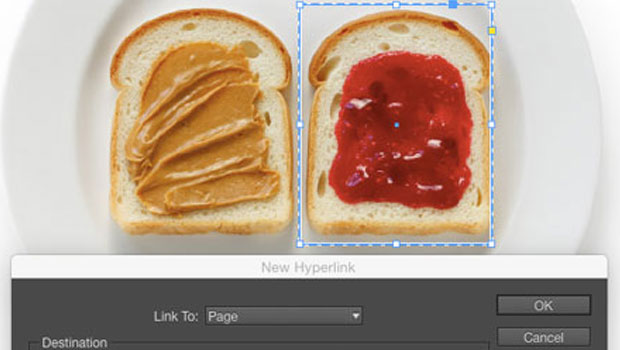
Did you know that you can make a hyperlink to a page in another InDesign document? This can be handy in several scenarios, but the one I use it for the most is to create links between documents in InDesign books that I output to interactive PDFs. And unlike cross-references, this kind of link doesn’t have to depend on text anchors or paragraph formatting.
Start by selecting the text or page item you want as the source of the hyperlink.
Then, click on the New Hyperlink button in the bottom right corner of the Hyperlinks panel (Window > Interactive > Hyperlinks). You can also reach this menu by choosing Type > Hyperlinks & Cross References > New Hyperlink.
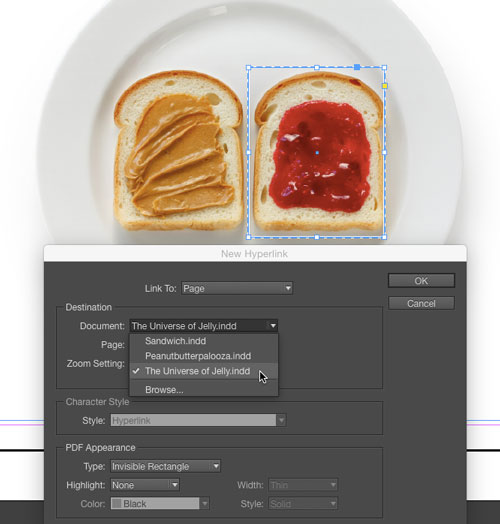
In the New Hyperlink dialog box, choose Link To: Page, and then choose the document and page number you want as the destination of the hyperlink. The Document pop-up menu will list all your currently open InDesign documents. You can also use the Browse command to locate and open another document.
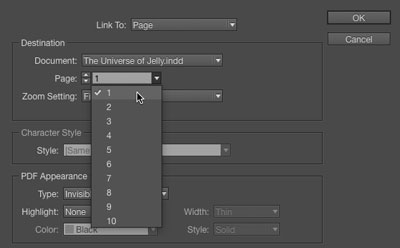
The Page option will default to whatever page is currently displayed in the destination document, but you can select any page from the menu.
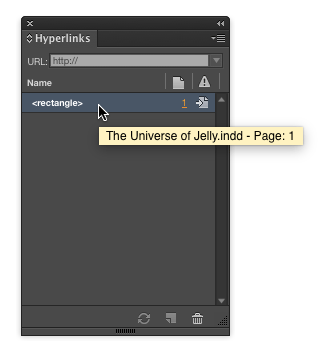
Once you have created the link, you can use the Hyperlinks panel to check the destination document’s name and page (via a tooltip), or single-click on the source or destination buttons to jump to them. Double-clicking the hyperlink listing (in this case <rectangle>) will open the Edit Hyperlink dialog box in case you need to make changes.
This article was last modified on December 23, 2022
This article was first published on February 3, 2015
Commenting is easier and faster when you're logged in!

Recommended for you

Editing Hyperlink Source Text
If you’ve ever tried to edit the source text of a hyperlink in InDesign, y...

InDesign Magazine Issue 77: Fresh Tips
We’re happy to announce that InDesign Magazine Issue 77 (September, 2015) i...
InDesign Eye Candy, part 1: In Gravity’s Shadow
Why should all the Photoshop and Illustrator kids have all the fun, when you can...