




The Family Resemblance
Since Photoshop Elements is essentially a subset of Photoshop, this upgrade has inherited many of the new or improved features found in latest release of Photoshop. See my review of Photoshop 7.0 for more details. Support for the latest operating systems, Mac OS X and Window XP, was a big deal for Photoshop 7.0 and both are supported here. Elements also gains its big brother’s new paint engine and brush system, making it possible to tweak various controls to create art media effects such as watercolor, oil painting, or charcoal on a textured paper.
The File Browser, which allows you to locate images on your hard drive by browsing them in thumbnail form, originally made its debut in Photoshop Elements 1.0. Then a beefed up version was included to Photoshop 7.0, letting you rename and rotate images directly in the File Browser as well as view extended information about a particular image. This improved version of the File Browser has found its way back home to Elements 2.0. The Picture Package also is bestowed the improvements from the recent Photoshop release, such as labeling and the ability to manually change out images in the layout.
So with all the crossover features and functionality from Photoshop 7.0, it begs the question, “What’s been left out?” Well, not much. Photoshop Elements doesn’t support CMYK mode, although it’s possible to convert files to RGB when opening CMYK files. This exclusion alone will cause many creative professionals to focus their attention back to Photoshop.
But if you work mainly in the digital medium and not print, you may be able to get by with just Elements. Layer masks appear to be absent and channels aren’t directly editable yet selections can be saved and loaded. The handy Healing Brush and Patch tool, and ImageReady 7.0 are also exclusive to Photoshop 7.0 in this release. However, Photoshop Elements includes a similar Save for Web dialog for optimizing images for the Web and makes possible simple Web animations by turning on and off layers. Elements makes it easy to create a Photo Web Gallery and prepare and send images in email. This is all most target users will ever need or want when it comes to Web capabilities.
Obviously Adobe had to cut tools and features out from Elements to differentiate the two product offerings in both price and functionality and to better position Elements as a hobbyist, mid-level product. What’s amazing is how little has been cut and how many exclusive features were added — yet Adobe’s still selling Photoshop Elements 2.0 for $99 (sometimes as low as $30 if you’re eligible for the right rebates). It’s also worth mentioning that Photoshop Elements 2.0 files are fully compatible with Photoshop 7.0. So when you are ready to take the leap to the professional package, you won’t have to leave your work behind.
It’s Elemental
Photoshop Elements 2.0 improves upon the initial release in just about every way. After spending some time with this upgrade, I’m still hard pressed to find any faults or issues. For the price and the target audience this product intended for, this upgrade is a slam-dunk. I’d even go as far as saying professionals on a tight budget could maybe get away with using Photoshop Elements 2.0 for most tasks. It’s that capable.
If you own a scanner or digital camera that ame with a version of Photoshop LE, PhotoDeluxe, or a competitive piece of software, I strongly recommend you take up Adobe on its upgrade offer of $30-off Elements. In fact, the only people out there who shouldn’t consider upgrading to Photoshop Elements 2.0 are those who already own or work with Photoshop everyday. Even then, you might want a copy of Photoshop Elements for home use. Lastly, I hope Adobe considers extending the Elements idea to some of its other powerful but out-of-reach products to hobbyists and newcomers.
This article was last modified on January 18, 2023
This article was first published on August 27, 2002
Commenting is easier and faster when you're logged in!

Recommended for you

Accelerate Graphics Production Using Metadata Filters in Adobe Bridge and Lightroom
You’ve got a folder full of images and you need to run some production chores on...
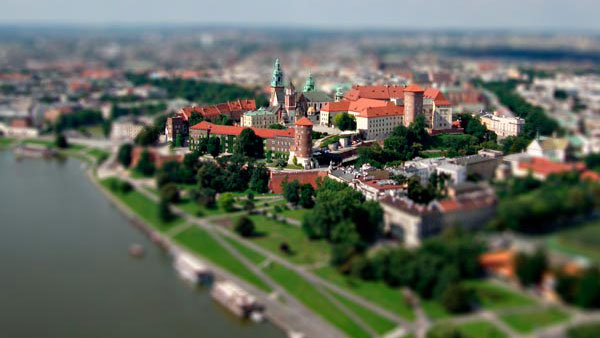
Creating Tilt-Shift Effects in Photoshop
The Tilt-Shift effect makes aerial views of landscapes look like model villages....
Importing Photos in Adobe Photoshop Lightroom 4: Part 2
Excerpted from The Adobe Photoshop Lightroom 4 Book: The Complete Guide for Phot...