Previous versions of InDesign (all the way back to CS3, if I recall correctly) had a “Share My Screen” command in the File Menu. This command launched the Acrobat.com “ConnectNow” service that allowed you to quickly establish a screen-sharing session with another user.
This command no longer appears in the File menu of InDesign CS6. But if you sign in to Acrobat.com with your Adobe ID, you can still access the ConnectNow service. Just click on the “Web Conferencing” tab once you’ve logged in.
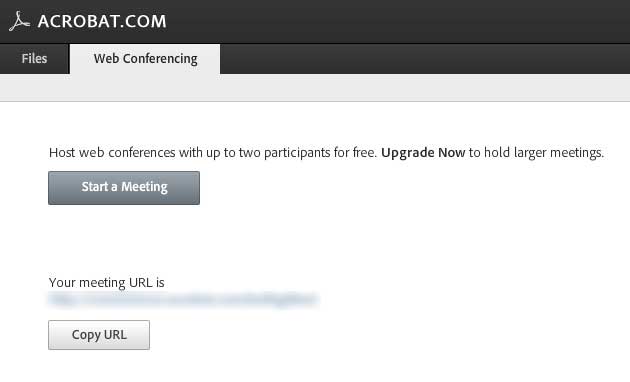
A free Acrobat.com account allows you to screen-share with one other person besides yourself. If you click the “Upgrade Now” prompt to find information about sharing screens with more users, you are brought to a screen that offers “Basic” and “Plus” plans for Acrobat.com. But curiously, there is no mention on that screen of ConnectNow. Last time I checked, the Basic Plan allowed sharing with 4 others, and the Plus plan allowed sharing with 19 others. If you are interested in this capability, I’d suggest verifying with Adobe that this is still true.
There are, of course, alternatives to ConnectNow for screen sharing. One other free option is the screen-sharing capabilities of Skype, which work well. Skype allows you to screen share with one other person free. To share screens with a group requires a paid upgrade.
This article was last modified on December 21, 2021
This article was first published on June 15, 2012
Commenting is easier and faster when you're logged in!

Recommended for you

How to Sign and Date a PDF Form that Doesn’t Have Signature and Date Fields
Two methods for signing and dating any PDF with Adobe Acrobat

How to Send InDesign Files to PowerPoint and Keep Editability
Discover how you can migrate your InDesign content over to an editable PowerPoin...