



This InDesign tip on Revealing Graphics in CC Libraries was sent to Tip of the Week email subscribers on April 12, 2018.

Sign up now and every week you’ll get a new tip, keyboard shortcut, and roundups of new articles, plus exclusive deals sent right to your Inbox!
Just scroll down to the bottom of this page, enter your email address, and click Go! We’ll take care of the rest. Now, on with the tip!
If you’ve placed a graphic from Adobe Stock into your layout via a CC Library, you can quickly locate and select the item in the library by right-clicking on it in the layout and choosing Graphics > Reveal in CC Libraries.
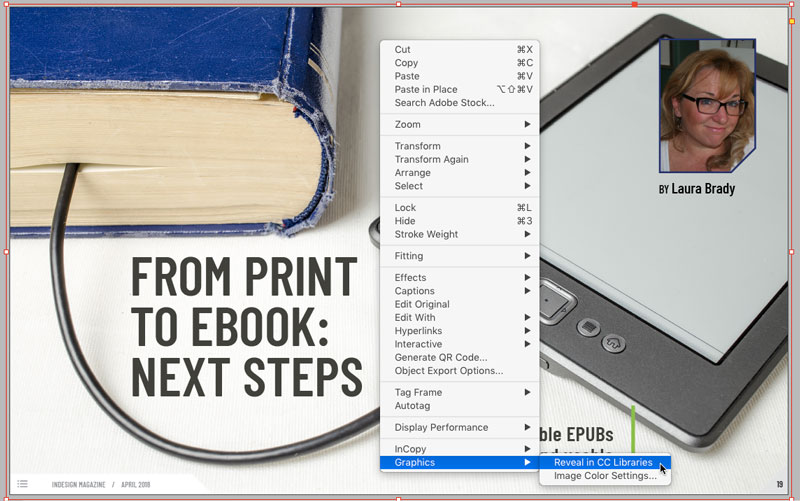
The CC Libraries panel will open, switch to the library containing the graphic and highlight it.

This article was last modified on July 25, 2019
This article was first published on April 17, 2018
Commenting is easier and faster when you're logged in!

Recommended for you

CreativePro Week Conference Speaker Spotlight: Bert Monroy, the Digital Art Pioneer
Welcome to our Speaker Spotlight series, designed to highlight some of our Creat...

CreativePro Week Conference Speaker Spotlight: Jesús Ramirez, the YouTube Photoshop King
Welcome to our Speaker Spotlight series, designed to highlight some of our Creat...

Tip of the Week: Drag and Drop Anchored Objects
This tip was sent to Tip of the Week email subscribers on December 17, 2015. Sig...