


QuarkXPress 6 Tips: Communicating in a Workgroup


Although page design may seem like a solitary activity, it’s rare that you work in a vacuum. Illustrators and photographers create their own files and you must slide them into your workflow. Alternatively you may have to send your layout to others for further tweaking and you must ensure that all color profiles, style sheets, and preference settings are intact.
If you work in QuarkXPress 6, it’s easy to share necessary files between users, over a network, and across computing platforms. Much of this process is automated; other settings need to be retrieved from the appropriate folder. All you need to know is where to look.
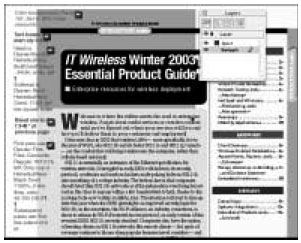
In this excerpt from “QuarkXPress 6 Bible,” you’ll see how you can share files, settings, and elements within a workgroup.
We’ve posted this excerpt as a PDF file. All you do is click the link “Communicating in a Workgroup” to open the PDF file in your Web browser. You can also download the PDF to your machine for later viewing.
To open the PDF, you’ll need a full version of Adobe Acrobat (5 or higher) or the Adobe Reader, which you can download here:
 .
.
To learn how to configure your browser for viewing PDF files, see the Adobe Reader tech support page.
Excerpted from “The QuarkXPress 6 Bible” by Galen Gruman and Barbara Assadi. Copyright © 2003 Wiley Publishing. All rights reserved. Reproduced here by permission of the publisher.
This article was last modified on January 3, 2023
This article was first published on April 28, 2004
Commenting is easier and faster when you're logged in!

Recommended for you

Free Photoshop Filters Webcast
It can be a lot of fun to experiment with Photoshop’s many filters to crea...
How to Digitize a Film Archive with Adobe Lightroom or Adobe Camera Raw
Digitizing an archive of film images can be a time-consuming process. Instead of...

The One-Hour Ad Deadline
The phone call and the email arrived together. “We’ve reserved a full page ad in...