



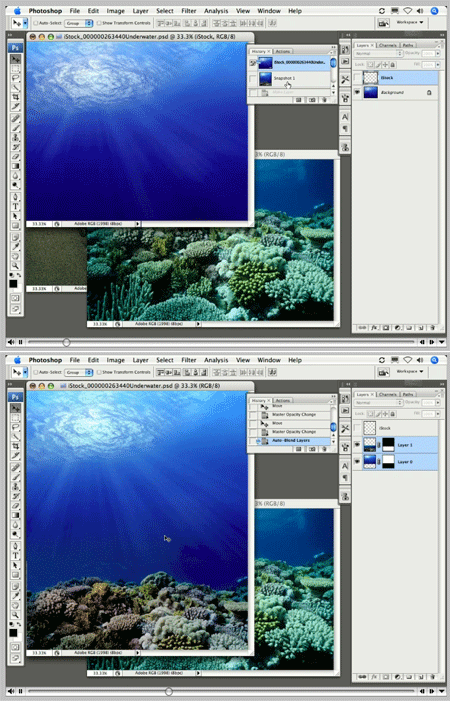
This tutorial is an installment of The Russell Brown Show.
In this video, Russell demonstrates how to use Photoshop CS3’s Auto-Blend feature to combine multiple photos. The resulting image not only merges the two sources, but blends their texture and shading like magic.

Auto-blending can be for practical purposes…
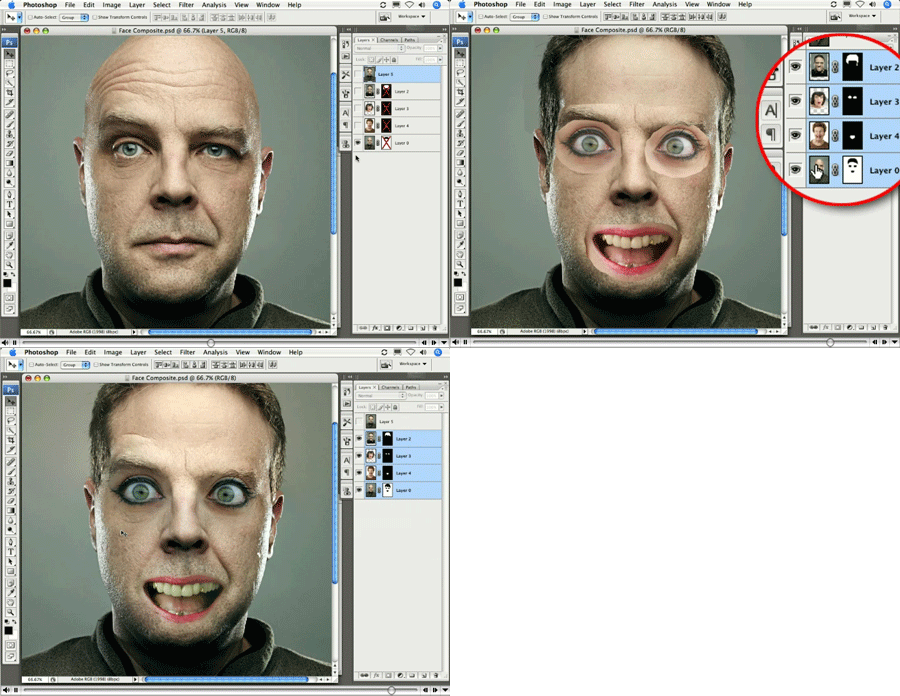
Or, um, less-than-practical purposes.
Click on “Auto-Blend Magic” to begin streaming the 7.2MB QuickTime Tutorial.
You can also cut and paste the following URL into your Web browser’s address filed: https://av.adobe.com/russellbrown/BlendingSM.mov
This article was last modified on January 4, 2023
This article was first published on October 8, 2007
Commenting is easier and faster when you're logged in!

Recommended for you

Free Photoshop Filters Webcast
It can be a lot of fun to experiment with Photoshop’s many filters to crea...
Capture the Look of Classic Analog Photography With VSCO Film Emulations
If you were an avid photographer in the analog days, you probably had a few favo...

How to Create Lithopanes in Photoshop
The introduction of 3D printing direct from Photoshop opened new gateways for ma...