





Bert Monroy’s digital paintings are known for their photo-realism and natural details, such as dappled light filtering through tree leaves onto a polished desk or an ominous sky drenching Central Park with heavy rain.
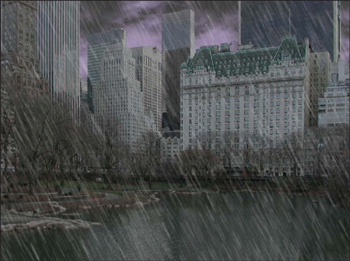
In this excerpt from his book, see how Monroy adds brooding clouds and torrential rain to a digitally captured photograph through a liberal use of basic filters. Similar techniques can be used to add snow, fog, or other elements of nature to almost any scene. Here’s how Bert does it.
We’ve posted this story as a PDF file. All you do is click this link “Creating the Elements” to open the PDF file in your Web browser. You can also download the PDF to your machine for later viewing.
To open the PDF, you’ll need Adobe Acrobat Reader. .
This article was last modified on July 18, 2023
This article was first published on June 4, 2003
Commenting is easier and faster when you're logged in!

Recommended for you

CreativePro Tip of the Week: Identifying Fonts in Photoshop
This CreativePro Tip of the Week on identifying fonts in Photoshop was sent to C...

The Photographer’s Guide to Copyright
PhotoShelter offers several free, informative guides for photographers on a wide...

Peachpit Announced the Publication of Layers: The Complete Guide to Photoshop’s Most Powerful Feature
Peachpit announced the publication of Layers: The Complete Guide to Photoshop’s...