




Do you ever work with images that are flat, washed out, too dark, or have a bad color cast? You don’t have to accept those failings. Instead, try a few basic steps to bring them back to life.
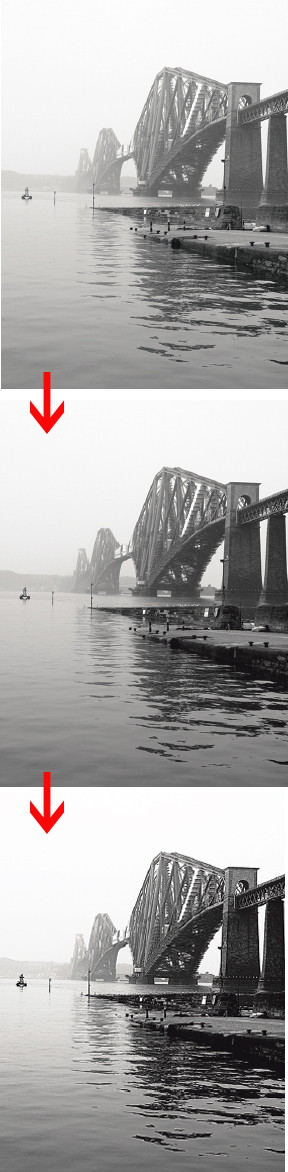
Learn how to take blah photos like this from wash out to knock out.
To read the article as a PDF file in your Web browser, click “Fundamentals.” You can also download the PDF to your machine for later viewing.
To open the PDF, you’ll need Adobe Acrobat or Adobe Reader. We highly recommend Adobe Reader 7.0 or above to view this PDF.
Excerpted from Real World Adobe Photoshop CS2 by Bruce Fraser and David Blatner. Copyright © 2006. Used with permission of Pearson Education, Inc. and Peachpit Press.
This article was last modified on January 4, 2023
This article was first published on January 3, 2007
Commenting is easier and faster when you're logged in!

Recommended for you

Lightroom 4 Ships with Lower Price
After two months in public beta, Adobe Photoshop Lightroom 4 is now shipping. Th...
Add Grain Effects to Photos and Type in InDesign
Using just six variables in the Effects panel can achieve an almost infinite var...

Intelligently Resize Images with iResizer
Content Aware Scale, which allows you to resize photos disproportionally without...