




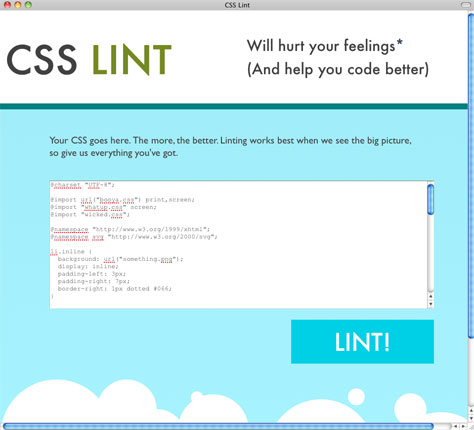
One of the great things about the Web design and development community is the selfless desire to help other community members improve their skills. The CSS Lint website is a perfect example. You paste a bunch of CSS into a form, tweak the rules by which that code is judged (if you want), and bam! CSS Lint tells you of any problems, including inefficient coding. And it’s all free.
To help CSS Lint with its analysis, give it as much of your code as possible. In addition to checking basic syntax, the site can apply a set of rules to your CSS. You can choose from predefined rules and even write your own. Here are the predefined rules:
• Parsing errors should be fixed
• Don’t use adjoining classes
• Remove empty rules
• Use correct properties for a display
• Don’t use too many floats
• Don’t use too many web fonts
• Don’t use too may font-size declarations
• Don’t use IDs in selectors
• Don’t qualify headings
• Heading styles should only be defined once
• Be careful using width: 100%
• Zero values don’t need units
• Vendor prefixed properties should also have the standard
• CSS gradients require all browser prefixes
• Avoid selectors that look like regular expressions
• Beware of broken box models
The site explains each of those rules to help you choose.
CSS Lint was developed by Web software engineer Nicholas C. Zakas.
This article was last modified on December 14, 2022
This article was first published on June 22, 2011
Commenting is easier and faster when you're logged in!

Recommended for you

PitStop Pro 10 Improves Color Management & Collaboration
Press Release Enfocus announced PitStop Pro 10, a major upgrade of the world...

An Unusual Use for Quotes
Normally, when you type a straight single quote, it gets converted into a curly...

Create Text Highlighting with a Custom Edge
Use this simple trick to create customizable highlighting to fit any piece of te...