




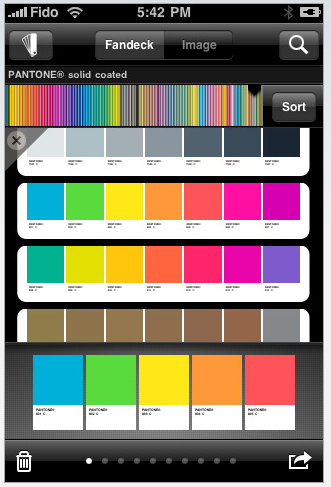
The myPantone Apple iPhone app gives you access to Pantone color libraries and the ability to build color palettes and share them with colleagues and clients.
myPantone offers graphic, web, fashion and apparel designers a way to take Pantone colors with you wherever you go. Can’t remember what a color looks like? Now you can have portable color memory.
Get your color inspiration and create your color scheme from these Pantone color system libraries:
• Pantone Matching System (coated, uncoated and matte)
• Pantone Goe (coated and uncoated)
• Pantone Pastels (coated and uncoated)
• Pantone Fashion + Home (paper and cotton)
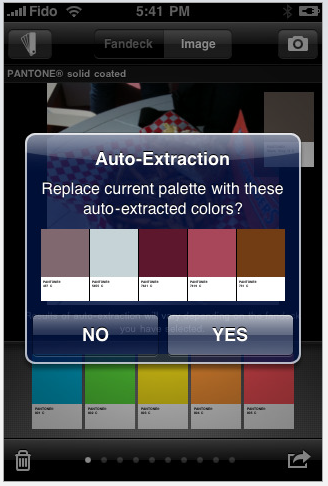
myPantone automatically generates harmonious color combinations. You can also cross-reference Pantone colors to other Pantone color libraries. And you can capture and extract colors from photos on your iPhone and snap to the closest Pantone Color.
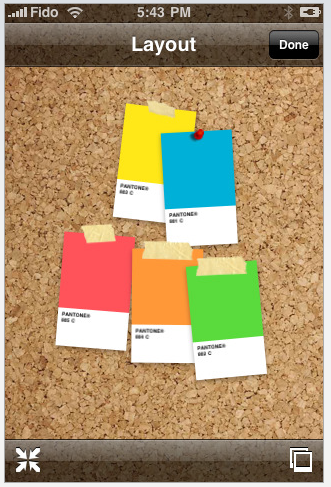
Once you have created your color palettes you can then share them in a variety of ways:
* E-mail an HTML image of your palette
* E-mail color palettes that can be used in the Adobe Creative Suite (.ase files), QuarkXPress and CorelDraw
* Upload to the myPantone.com palette sharing web site
Note that the Pantone Colors displayed on your mobile device may not match Pantone-identified standards. You’ll have to consult current Pantone color publications for accurate color.
Watch Glenn Fleishman’s walkthrough of the app in this informative video:

This article was last modified on December 14, 2022
This article was first published on September 21, 2009
Commenting is easier and faster when you're logged in!

Recommended for you
Before&After Design Tip: Use a Ghosted Logo to Make a Great Notepad
This small notepad shows off your logo and lets your reader interact with it slo...

K4 Publishing System Version 5.6 Announced
SoftCare has presented a preview of K4 Publishing System version 5.6. The new ve...

Livestream Video: How to Make it Snow in Photoshop
Follow along with Khara Plicanic to learn how to add a festive and seasonal touc...