



Hey folks, it’s time for another InDesign mystery that you can solve for a chance to win an awesome prize!
Here’s the scenario:
You’re checking over a file getting it ready for output. You come across an image and want to see its resolution and color space. So you select the image and look in the Links panel. But the panel shows no information at all. In fact, it says there are no Links at all in the document!
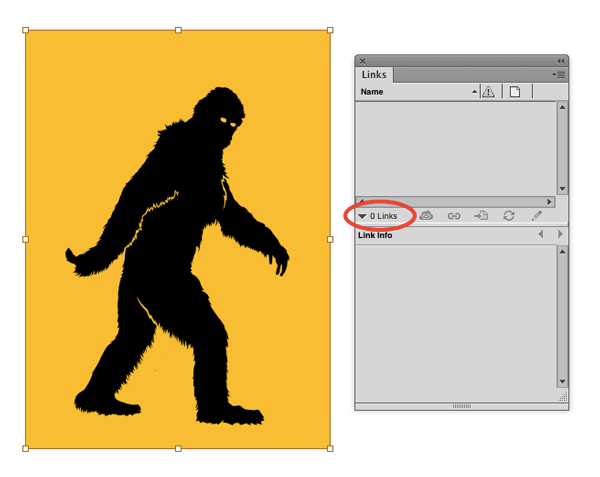
Why is there no information about this image in the Links panel?
This month’s prize is an Activation Code for FrameReporter from Rorohiko. This amazing add-on attaches labels to frames in your layouts, displaying all kinds of key information about text and images.
There will be two winners: the first person to respond with the correct answer, and another person chosen at random from all the correct answers I receive before April 11th, 2016
Enter now by emailing your solution to mike at indesignsecrets.com
Note: Comments are closed on this post while the contest is open so no one gives away the answer. Good luck!
This article was last modified on July 25, 2019
This article was first published on April 4, 2016
Commenting is easier and faster when you're logged in!

Recommended for you

P22 Music Text Composition Generator
P22 announces the P22 Music Text Composition Generator, a free online music util...
Monotype Imaging Adds Four Type Foundries to Fonts.com
Typeface collections from Berthold, ParaType, Phat Fonts and Sparklefonts are no...

InDesign Poll Results: Upgrading to CC 2018
Hey folks, it’s time to share the results of our latest poll, an...