




Here’s a clever and fun little script created by Jongware that slowly decrements the size of each character in a text frame in InDesign.
(Is “decrement” a real word in English? Yup. It’s the opposite of increment. It means to cause a discrete reduction in something.)
When you run the SlowlyMakeSmaller.jsx script on a frame, it makes each character slightly smaller than the last. For example, here’s a text frame with some text in it:
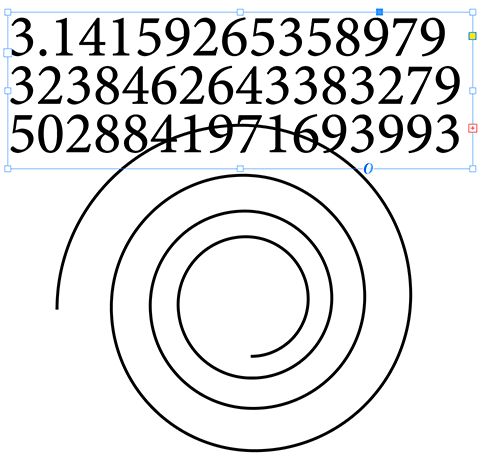
Here’s what it looks like after running the script:
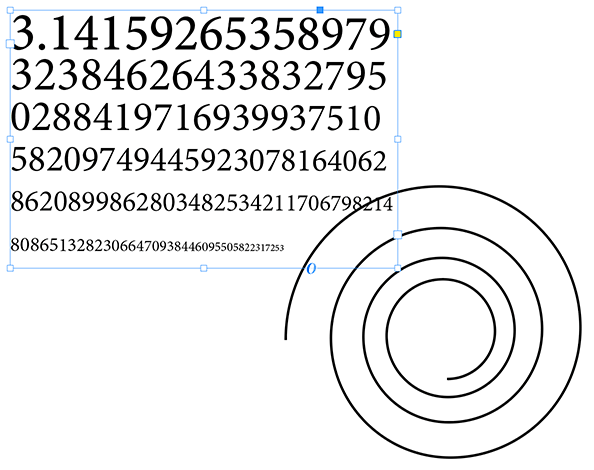
I created the spiral path next to it with the Spiral tool in Illustrator, and then copied it onto my InDesign page. We can, of course, cut the text out of the text frame and use InDesign’s Type on Path tool to create the following:

…and of course, you’d want to set the stroke color to None:

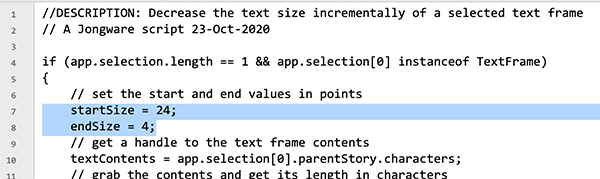
One important thing to know: You have to specify what the starting and ending point sizes are for the text in the frame. You do that by editing lines 7 and 8 of the script in any text editor:
OK, I admit that this is not a script you’ll use daily, but isn’t it cool? You might find an interesting use for it!
(must be logged in as a free or paid member to download this script)This article was last modified on November 20, 2020
This article was first published on November 20, 2020
Commenting is easier and faster when you're logged in!

Recommended for you

CreativePro Week 2021 Agenda Announced
Five days, 100+ incredible sessions to take your skills to the next level We’re...

Change a Pantone Swatch Name
Dave wrote us, How do you change a Pantone color name in InDesign? We're trying...

EFI Releases EFI Fiery Central 1.5
EFI, the world leader in customer-focused digital printing innovation, today ann...