



It’s easy to draw a starburst in InDesign: Double-click one of the two polygon frame tools to set the number of sides and the inset (if the inset is greater than zero, InDesign makes twice as many points as sides), then drag out the shape. But sometimes you want a particular shape that is hard to make with the Polygon frame tools… what then? Scripts to the rescue!
Olav Martin Kvern (my co-author on Real World InDesign), just sent me two star-making scripts that I wanted to share with you. The first one make a “perfect 5-pointed star.” You can fake a 5-pointed star by making a 5-sided polygon frame with 53% inset. But the points aren’t exactly in the right position — they’re about .1° (a tenth of a degree) off. Fine for most work, but not for Ole!
If you download and install these two star scripts (in a zip archive), you’ll find the PerfectStar.jsx script, which — when installed and run — will draw a 5-pointed (Don’t Mess With Texas-style!) star.
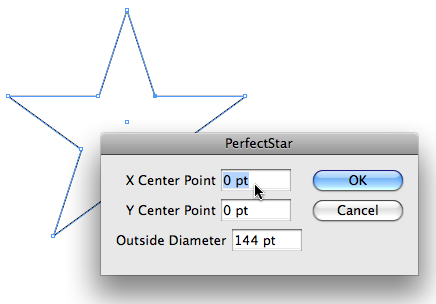
You’ll also get the StarFun.jsx script, which gives you many of the same features of the polygon frame tools, but adds some fun!

I couldn’t help myself… I had to play around with this script; here’s some crazy “stars” I came up with (and here’s the INX file if you want them yourself):

Don’t forget to insert your own “star” pun here… “star of the show,” “wish upon a star,” starring InDesign!” (groan)
This article was last modified on December 19, 2021
This article was first published on April 29, 2009
Commenting is easier and faster when you're logged in!

Recommended for you

InDesign FX: Captain Marvel’s Star
So like a few bajillion other folks, I saw Captain Marvel recently. Fun movie, e...

Making A Perfect Triangle
Drawing a triangle can be a hassle, unless you know a couple of tricks

Using NINA Scripts for Spirograph Patterns in InDesign
These are the coolest shapes you'll ever find inside InDesign