




Patterns are in the air these days! Illustrator has new features for making patterns, but here at InDesignSecrets we’re more into how to make patterns in InDesign. You can use patterns for all kinds of things? backgrounds, fills, special effects, or even to simulate some real-world thing? spice up your document with a pattern today!
So how do you make seamless patterns in InDesign? First, let’s see how Mike Rankin does it
(If you’re curious, here’s the original blog post at lynda.com that Mike wrote up.)
PatternMaker
The PatternMaker plug-in, from Teacup Software, has been around for quite a while now. You can read about it here. The free version of PatternMaker comes with a few patterns to try out. When you buy the Pattern Pack, you get many more! (Note that I do have a small personal interest in PatternMaker sales, as I wrote some of the code Teacup uses.)
Kelly Vaughn has over a dozen great articles about how to use PatternMaker to create awesome patterns on her Document Geek site:
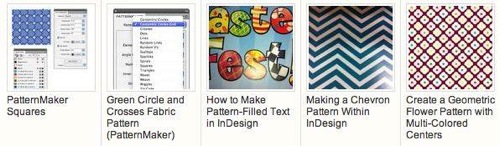
Here are some more “patterny” articles:
- More Mike Rankin Pattern Eye Candy
- Fun with the MakeGrid Script
- NINA scripts for spirograph patterns
Enjoy!
This article was last modified on December 21, 2021
This article was first published on August 30, 2012
Commenting is easier and faster when you're logged in!

Recommended for you
How to Make Plaid Flannel Patterns in Photoshop
See how to digitally weave smaller, individual patterns together to create a tex...

An Introduction to Working with Patterns in Illustrator
Learn the basics of creating, using, and editing repeating patterns

Illustrator Downloadable: Art Deco Borders and Brushes
Custom patterns and brushes to add a sleek and swanky style to your designs