



I needed the shape of a gear recently — you know, something round with “teeth.” Fortunately, it’s pretty darn easy to make one of these in InDesign.
First, double-click one of the two Polygon tools and define a starburst:

Next, draw the starburst (probably with the Shift key held down, unless you want to end up with some kind of weird elliptical gear):
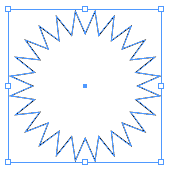
Finally, choose Object > Corner Effects and give your polygon bevelled corners. Turn the Preview checkbox on, so you can get the look just right:

Of course, you can always add a fill and some effects to the object, such as bevels to make it more 3D:

If you make the corner effects larger, the gear turns into a bottle cap. Hey, bottlecap art!

Of course, I can’t stop there! Time to go crazy and make even more wild designs by pushing the effects to the limit:
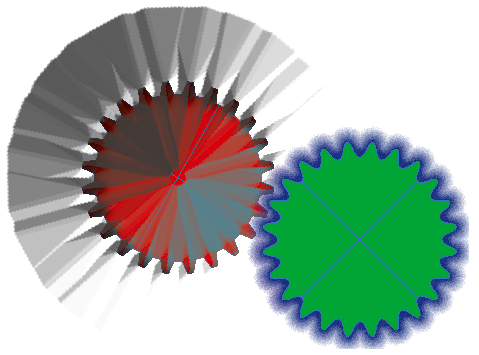
Well, okay, may you don’t need those… but the gears sure came in handy!
This article was last modified on July 25, 2019
This article was first published on March 24, 2009
Commenting is easier and faster when you're logged in!

Recommended for you

How to Access Hidden Shapes in Photoshop
Learn how to access Photoshop’s complete library of vector shapes, such as anima...
How to Make a Spiral in Illustrator
Learn how to make spirals of all sizes and varying depths with Illustrator’s Spi...

Tip of the Week: Changing Object Shapes
How to quickly and easily change object shapes between circles, rectangles, poly...