




 InDesign offers several choices for stroke endings, such as arrowheads, tailfeathers, squares, and so on. However, many people want to create custom arrow heads or other shapes on the ends of their lines. Is that possible? Sure, with a little work.
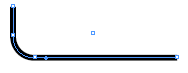
- Draw the line you want to embellish.
- Create the artwork. Here, I’ve copied some vector artwork from Adobe Illustrator and pasted it into InDesign.
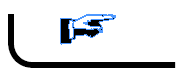
- Cut the artwork with the Selection tool, switch to the Text on a Path tool (Shift-T), click anywhere on the path, and paste.
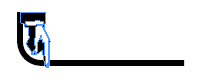
- Select the line with the Direct Selection tool (A) and drag the start point of the text on a path (it looks like a line just to the “left” of the text on a path, perpendicular to the line itself) until the artwork sits more or less where you want it.

- Choose Type > Text on a Path > Options and set the Align popup menu to Center.
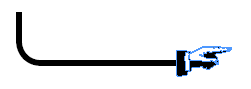
- Because this was pasted vector artwork from Illustrator, we can edit the points to make it even more interesting.

- And because it’s text on a path, it will always rotate appropriately with the path itself (though you may need to adjust it’s start point again if you make the path longer).
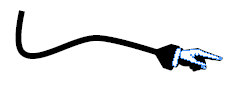
Is this a perfect solution to the problem? Certainly not! But until Adobe gives us true editable arrowheads, it’s at least a viable workaround. (No, there’s no way to save these as an object style. Instead, put them in a library and pull it out to edit it whenever you need one.)
This article was last modified on December 18, 2021
This article was first published on July 10, 2006
Commenting is easier and faster when you're logged in!

Recommended for you
Adding and Styling Text in Premiere
Myra Ferguson covers text formatting and safe margins in Premiere.

Quick Wins: Adjusting Color in Photoshop
Use these five resources to get better at adjusting color in Photoshop
Interview with Joy Pollard, Designer and Adobe Certified Professional
Learn how roller derby, astronomy, and theater influenced one designer’s journey...