




InDesign is used all around the world, so of course the application supports many different languages. But that doesn’t mean it’s easy or obvious just how you would go about changing the language of InDesign’s user interface. In fact, there isn’t an officially supported way to do this. But there is a super obscure trick that you can use to switch to a different language, and in the latest InDesign Secrets video at lynda.com, David Blatner demonstrates it.

Incredibly, all you have to do is quit the application and change the name of a few folders according to which language you want to use. When you relaunch, you’ll be presented with an entirely new—yet oddly familiar—experience.
Watch the video, and embark on your own InDesign World Tour!
You can visit France…

Japan…
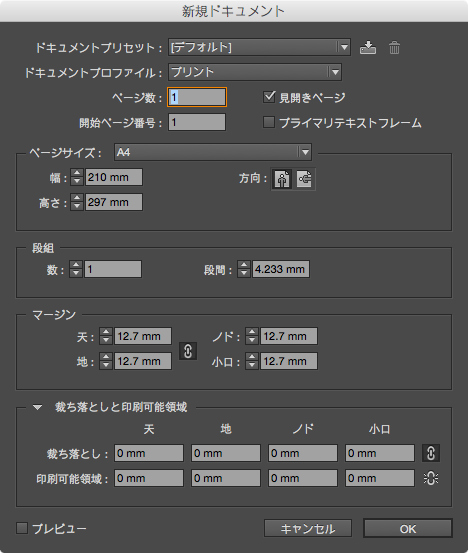
and the Middle East…
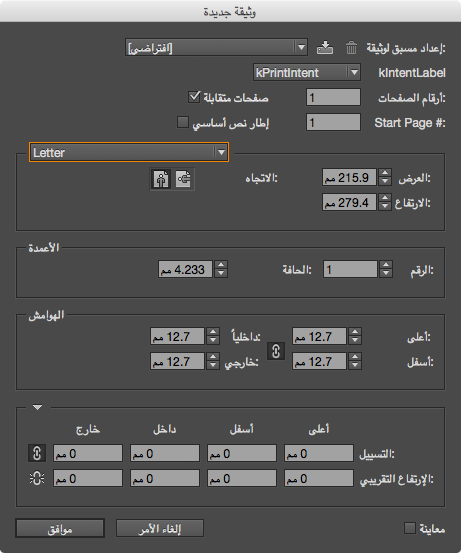
all without leaving your desk.
So check out the InDesign Secrets video series at lynda.com, they’re really out of this world!
This article was last modified on March 5, 2025
This article was first published on November 20, 2014
Commenting is easier and faster when you're logged in!

Recommended for you
Don’t Sweat the Math—Let Photoshop Do It!
Let Photoshop—and other Adobe apps—do the math for you when entering numerical v...
Navigating and Customizing the Premiere Interface
Are you a Premiere beginner? Get started and customize your workspace with Myra...
Smarter Thumbnails in Photoshop
Make Photoshop layer thumbnails clearer with one quick setting change.