




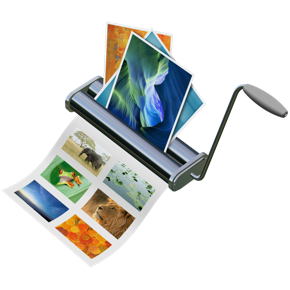
Chris Paveglio has released ID Image Catalog 3.30. ID Image Catalog allows users to make InDesign contact sheets or catalogs of images. Users can quickly and easily make visual catalogs of most major image types supported by InDesign, and can include file name, file path, placement scale information. It is a free updated for current users.
Version 3.30, includes on the fly scanning of document size presets and fixes a problem with the previous version not honoring preferences between runs, as well as compatibility with Leopard (10.5).
Other options include number of images per page, and whether to use a document title or to not include the file name under each image. Users can choose to use any document size preset save within InDesign.
Feature Highlights:
* Creates a catalog automatically in InDesign
* Scales up, down, and centers images in the frame
* Includes the name of the image under each image
* Can include the full file path of the image, and the size it is placed at
* Sub-folders inside your main folder selection can be scanned and added
* Use one of your InDesign document presets for the page size and margins
* Option to disable page title and image title text frames
* Customizable margins between image frames
* Option to disable outlines around image and text frames
* Large text frame option for long file name or file path information
* Option to hyperlink to folder (for exporting as PDF)
Minimum Requirements:
* Mac OS X Version 10.4 Tiger, 10.5 Leopard or later
* Universal Binary for PowerPC and Intel
* Adobe InDesign CS3
Pricing and Availability:
The cost for InDesign Image Catalog is $20 USD. The update is free for current owners.
Website: https://chris.paveglio.com
This article was last modified on December 17, 2022
This article was first published on June 25, 2008
Commenting is easier and faster when you're logged in!

Recommended for you

Damn You, Art School
It takes more than a good education to succeed in a any field. It takes real-wor...

Adobe Releases Configurator 4
Adobe has announced the release of Configurator 4, the latest version of the uti...
Create Beautiful Contact Sheets Easily With DiapoSheet
If you need to build a contact sheet of images you have lots of options. You can...