




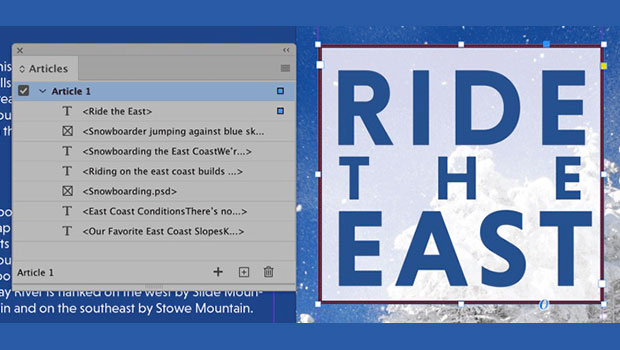
In this InDesign how-to video, Dax Castro shows how to use the Articles panel to control reading order for accessible documents. Items are added to the panel with a simple drag and drop which translate into an orderly tags tree in Acrobat after export.
Check out new tutorials every other Tuesday on our InDesign Secrets YouTube channel, then join the discussion on our Facebook group!
This article was last modified on August 29, 2025
This article was first published on April 8, 2021
Commenting is easier and faster when you're logged in!

Recommended for you
10 Steps to Accessible PDF
Making sure that the PDF files you create are accessible to all users should be...
InDesign Magazine Issue 130: Accessible PDF
We’re happy to announce that InDesign Magazine Issue #130 (February 2020) i...

Tip of the Week: Adding Alt Text to Images With Object Export Options
This InDesign tip on adding alt text to images with object export options was se...