


InDesign How-To: Take Control of Text Wrap


This article is excerpted from the October/November 2007 issue of InDesign Magazine, #20.

Buy this issue or subscribe to InDesign Magazine.
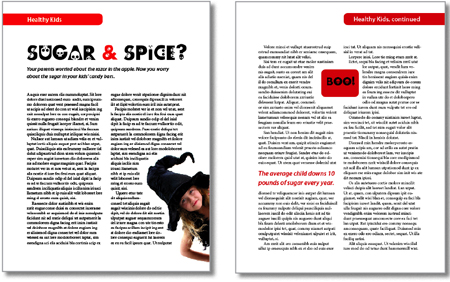
I used four different text wrap techniques to create the two pages above. Do you know them all? If not, click on the following link: Text Wrap PDF. You can view the PDF onscreen and download it to your machine for later viewing and printing.
For even more on text wrap in InDesign, see “Recipes for Applying — and Ignoring — Text Wrap.”
We highly recommend Adobe Reader to view this PDF. Download the latest Acrobat Reader here. To learn how to configure your browser for viewing PDF files, see the Adobe Reader tech support page.
This article was last modified on January 5, 2023
This article was first published on December 10, 2007
Commenting is easier and faster when you're logged in!

Recommended for you

Hands-On Review of the Microsoft Surface Studio
Recently Microsoft announced their latest pieces of hardware for the Surface pro...

Lightroom 5 Round-up
Adobe’s Lightroom 5 was released this week with a number of new features includi...

Photoshop How-To: Making Warhol-style Images
This story is taken from “Adobe Photoshop CS Creative Studio.” The b...