




As an InDesign consultant and educator, I encounter many companies where editors, journalists, copywriters, and other wordsmiths use InDesign. More often than not, these people have to make late-stage edits in a complex layout that was created by someone else.
Yes, I realize that this is what Adobe InCopy is created for, or alternatives such as Wordsflow or Docsflow. But sometimes, for a wide variety of reasons, InDesign is used instead. After being asked by a regular customer to give their editors a quick couple of hours of InDesign training, I put on my thinking cap and came up with a list of the bare minimum set of things that an editorial person would need to know about InDesign. Here is what I came up with.
- Things to do before you begin: exit Preview mode, show Frame Edges, and show Hidden Characters.
- Basic navigation (zooming in and out, turning pages)
- Using the Story Editor (this is the most important topic of all!)
- What to do when you are unable to select text or an object
- Cut, Copy, & Paste, Paste Without Formatting
- Find/Change
- Checking spelling
- Changing case
- How to insert special characters
- Drag and drop text editing
- How to apply bullets and numbers
- Using Notes and Track Changes
- Table editing
I believe this covers the absolute necessities of what an editorial user would need to know. Depending on the complexity of the layout, teaching someone without InDesign skills to figure out how to access the text on a complex page can be difficult. But this is where I would start.
I put together a quick PDF handout for the people in my training class. I thought I’d share it with the InDesignSecrets community in hopes that others will learn from it.
Download InDesign for editors (571k PDF)
This article was last modified on December 30, 2021
This article was first published on May 10, 2014
Commenting is easier and faster when you're logged in!

Recommended for you

Ten Essential Techniques for Building Long Documents in InDesign
Mike Rankin covers the most important tips and and third-party add-ons to make f...
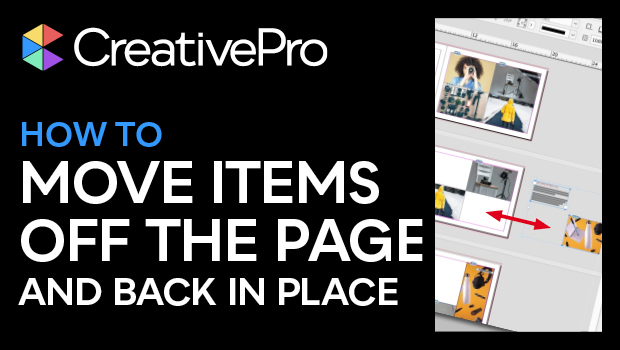
How to Move Items to the Pasteboard and Back Into Place in InDesign
Learn how to move items off an InDesign page onto the pasteboard—and back into p...

Interview with the InComparable Anne-Marie Concepcion
Q&A with Anne-Marie Concepcion, who is presenting at The InDesign Conference 202...