


InDesign Downloadable: Preferences Guide
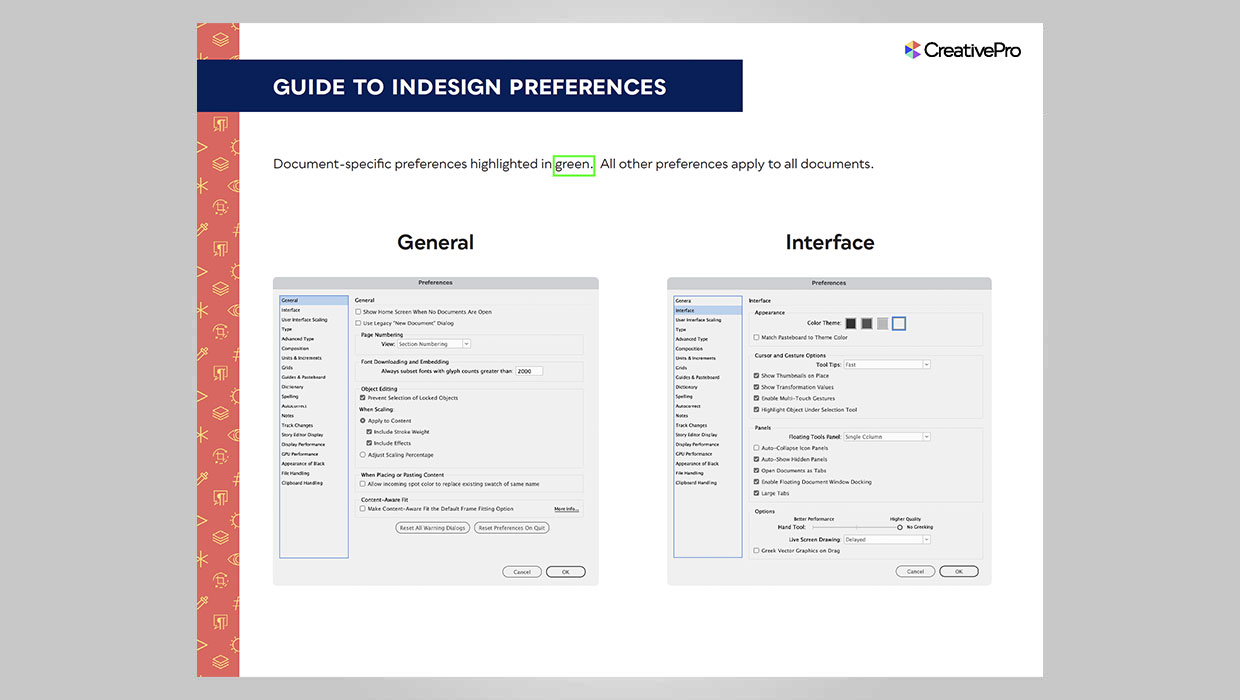
A guide to which preferences are global and which are document specific in InDesign
Downloadables are an exclusive benefit for CreativePro members! (Not a member yet? Join us and get $10 off with the discount code: DOWNLOAD)
InDesign has a lot of preferences that control the way it looks and behaves. In all, there are 20 sets of preferences in a dialog box with hundreds of individual settings. And it’s very important for any InDesign user to understand which of those preferences apply to the application as a whole, and which ones only affect the current document. But the dialog box itself gives you no clue. That why since CS 5.5, we have been producing a visual guide to InDesign preferences, with document-specific preferences highlighted.
Commenting is easier and faster when you're logged in!

Recommended for you
How to Customize InDesign’s Preferences, Panels, and More
Learn how to customize InDesign preferences, panels, defaults, and workspaces to...

Only the Frame Rotates, Not the Image?
Why is InDesign CS6 only transforming frames, and not the contents, a user wants...
How to Enable Photoshop’s Quiet Mode to Stop “Helpful” Pop-Ups
Turn on Quiet Mode in Photoshop for a more peaceful workflow.