




Total Training has many more titles like this one. Click here to learn more.
With the potent combination of Illustrator CS2 and OpenType fonts, you can click just one button to create sophisticated-looking numerals that set your work apart from others.
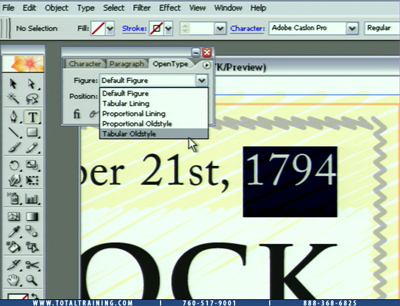
Click the image to play the movie.
In this video (2 minutes and 36 seconds as a 5.9MB download), you’ll learn the following:
- How to use Illustrator CS2 OpenType capabilities to make proper looking fractions from within the open type palette
- How to create old style numerals as well as proper ordinals
In the full Total Training for Adobe Illustrator CS2 series, you can learn the fundamentals of drawing, how to use the pen tool, 3D effects, type on a path, Flash animation, and more.
This video tutorial is a QuickTime movie. Click the link “Fractions and Numerals” to play the movie. Or you can download the file by option- or right clicking on the link and saving the “.mov” file to your hard disk.
If you do not have QuickTime installed, you can get it here:

Excerpted from “Total Training for Adobe Illustrator CS2® with Deke McClelland” © 2005 Total Training ALL RIGHTS RESERVED.
This article was last modified on January 3, 2023
This article was first published on August 26, 2005
Commenting is easier and faster when you're logged in!

Recommended for you

How to Turn a Photo into Graffiti in Photoshop
Create a spray-painted masterpiece in Photoshop with Steve Caplin.

Using Photoshop’s Generative Fill to Remove Objects
Learn how to simply remove items from an image in Photoshop, without extra conte...

How to Adjust Colors Using Photoshop’s Contextual Task Bar
Learn how to use the Photoshop Adjust Colors feature to make quick, non-destruct...