



KRB wrote:
I have some documents with old indexes, which I need to delete to start all over from scratch. I can’t seem to find a way of removing all the index entries. Any suggestions?
That is frustrating! Fortunately, Find/Change comes to the rescue.
- Open all the documents (the ones you want to strip of index entries) at the same time.
- Then open the Find/Change dialog box (Command/Ctrl-F).
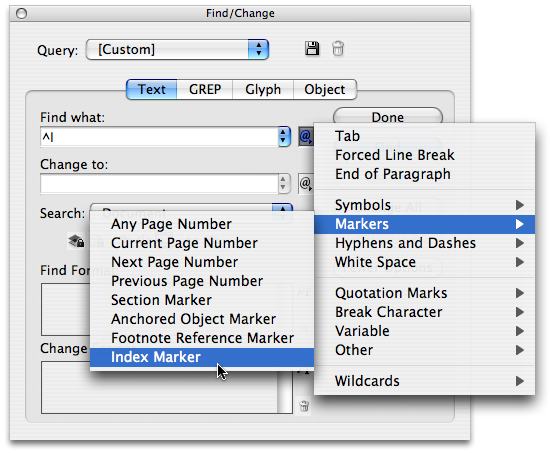
- Type ^I into the “Find What” field and make sure the Change To field is blank.
- Set the Search pop-up menu to All Documents.
- Click Change All.
Wowza, they’re gone!
I know what you’re wondering: How on earth did David know the special code for index entries? Well, of course, I have a trick: I just selected Index Entries from the little flyout menu to the right of the Find What field. Those flyout menus are so useful!
This article was last modified on December 18, 2021
This article was first published on February 23, 2008
Commenting is easier and faster when you're logged in!

Recommended for you

Break Up a Data Merge Document into Many Files
David explores an obscure Data Merge feature that can make a big impact
Importing Word Styles Only
Use this quick workaround to import Word styles into an InDesign document. (Yes,...
Nested versus Next
Question: I am creating nested style-sheets for a magazine. The problem is that,...