



Editor’s Note: This feature was expected to be released in Photoshop 2026, but currently it is only available in the public beta version, which can be installed via the Creative Cloud Desktop App.
One of the most startling AI features in Photoshop is the ability to replace individual elements within an image using reference objects. This is pushing AI to its limits, not just creating images from scratch but matching pose, lighting and tone.
Starting and reference images
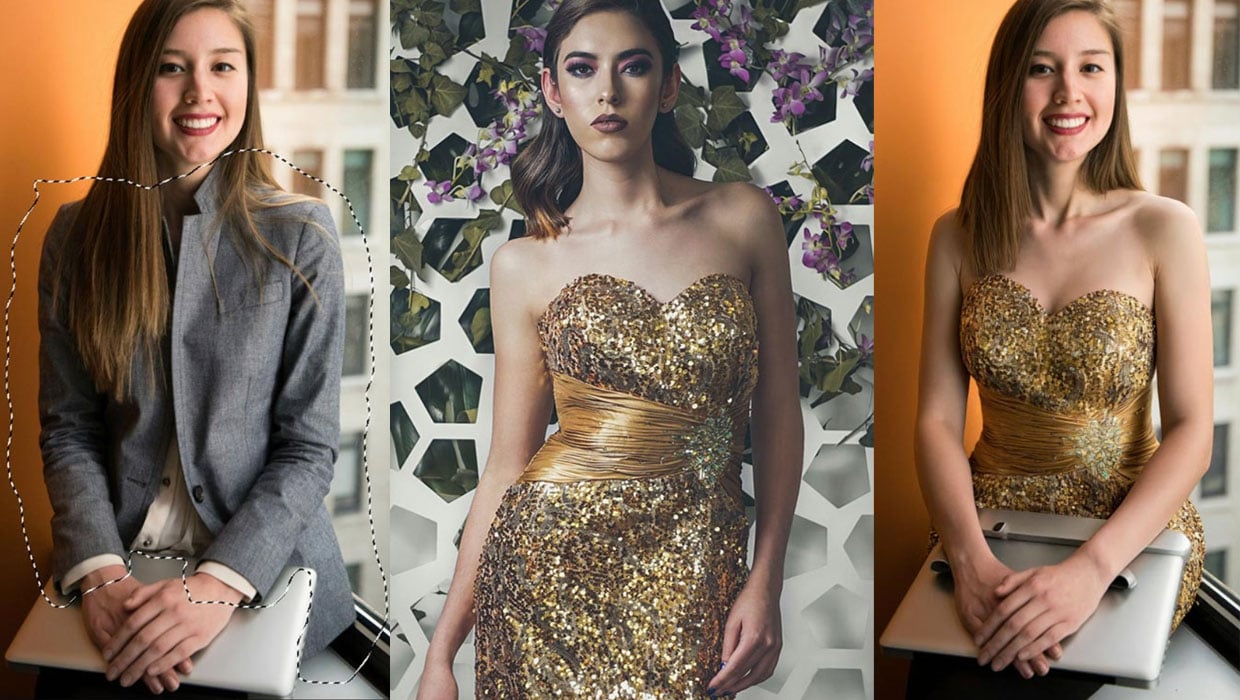
In this photograph of a seated woman she’s wearing a gray suit and holding a laptop. I wanted to replace the suit with the gold dress.
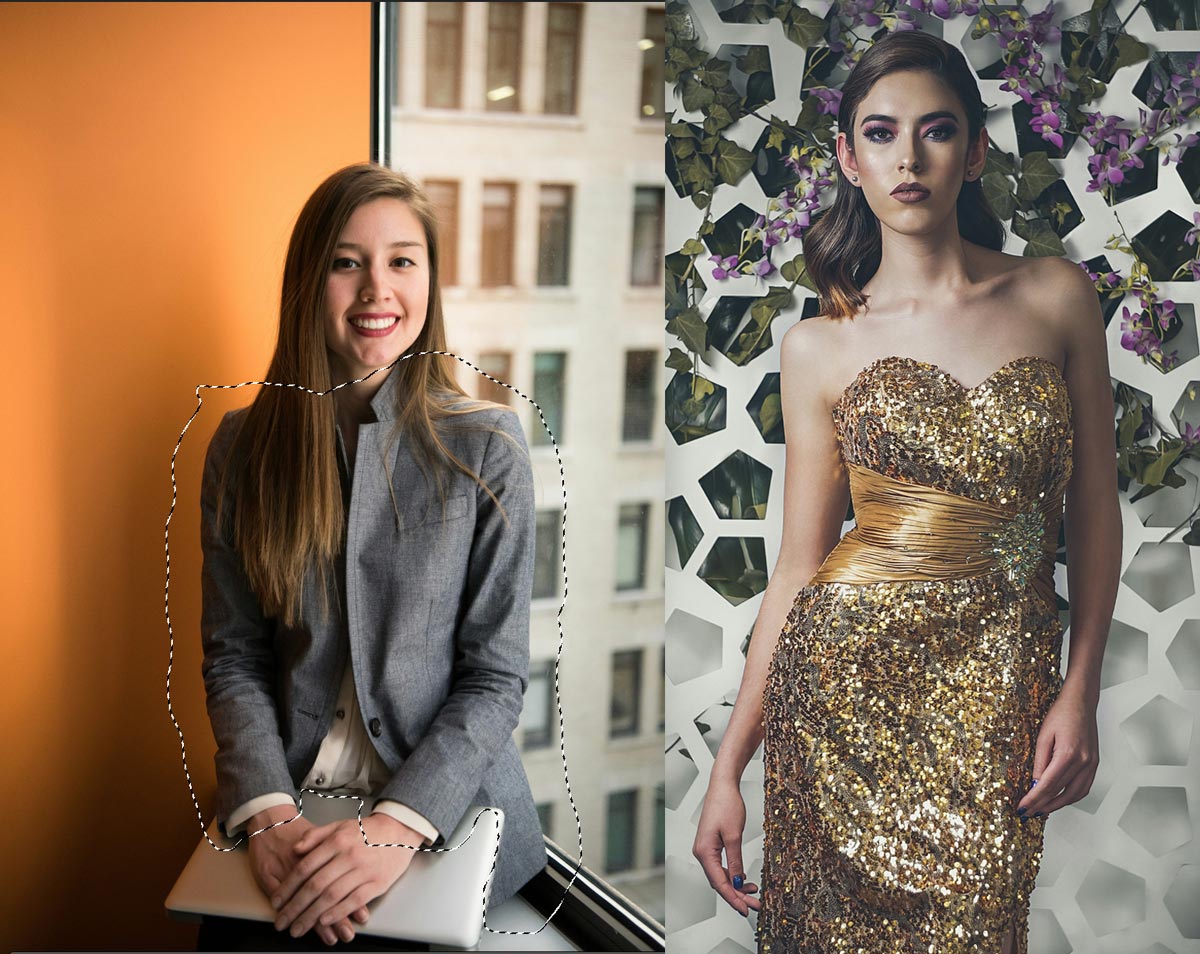
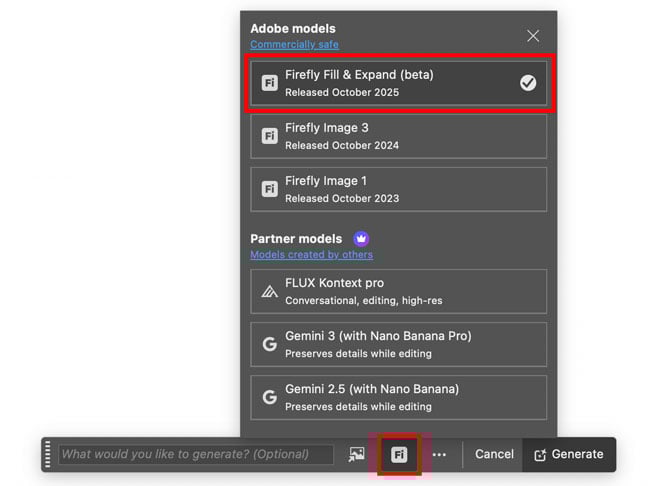
Begin by tracing the outline of the area you want to change with the Lasso tool. Then choose Generative Fill from the Contextual Task Bar. Click the models button and make sure Firefly Fill & Expand (beta) is selected.
Click the button to select your reference image on disk – in this case, the gold dress. The Reference To option allows you to use the entire image as a reference or ignore the background. The Intent option allows you to either replace an object (swap) or add to it (place).

Here’s the result of replacing the original suit with that dress, as well as two other costumes drawn from other images. Some of the results are extraordinary – note, for instance, the slight reflection of the polka dot bikini in the laptop surface. The soldier’s uniform has been added perfectly, despite the fact that the uniform was originally on a man. But what are those odd additions added to the laptop in the gold dress version?

It’s not just clothes
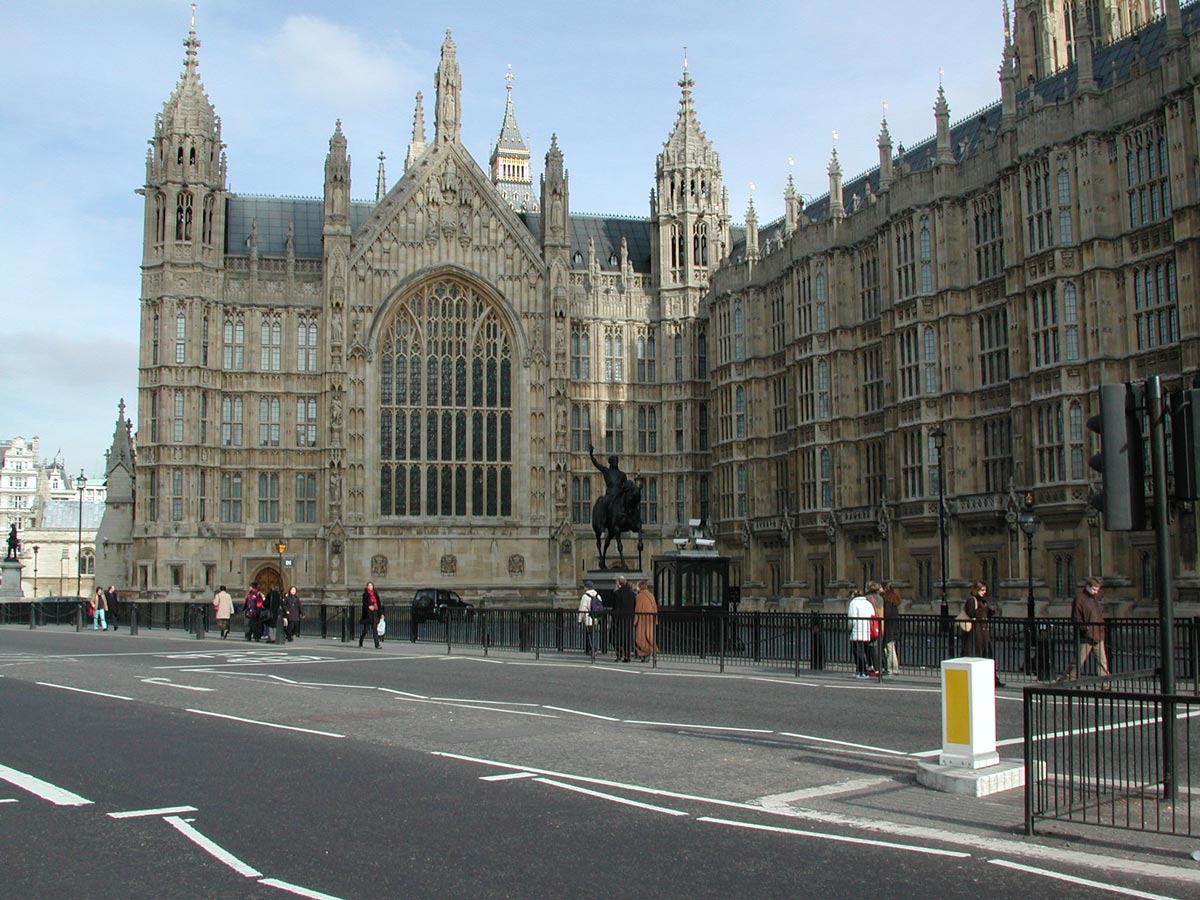
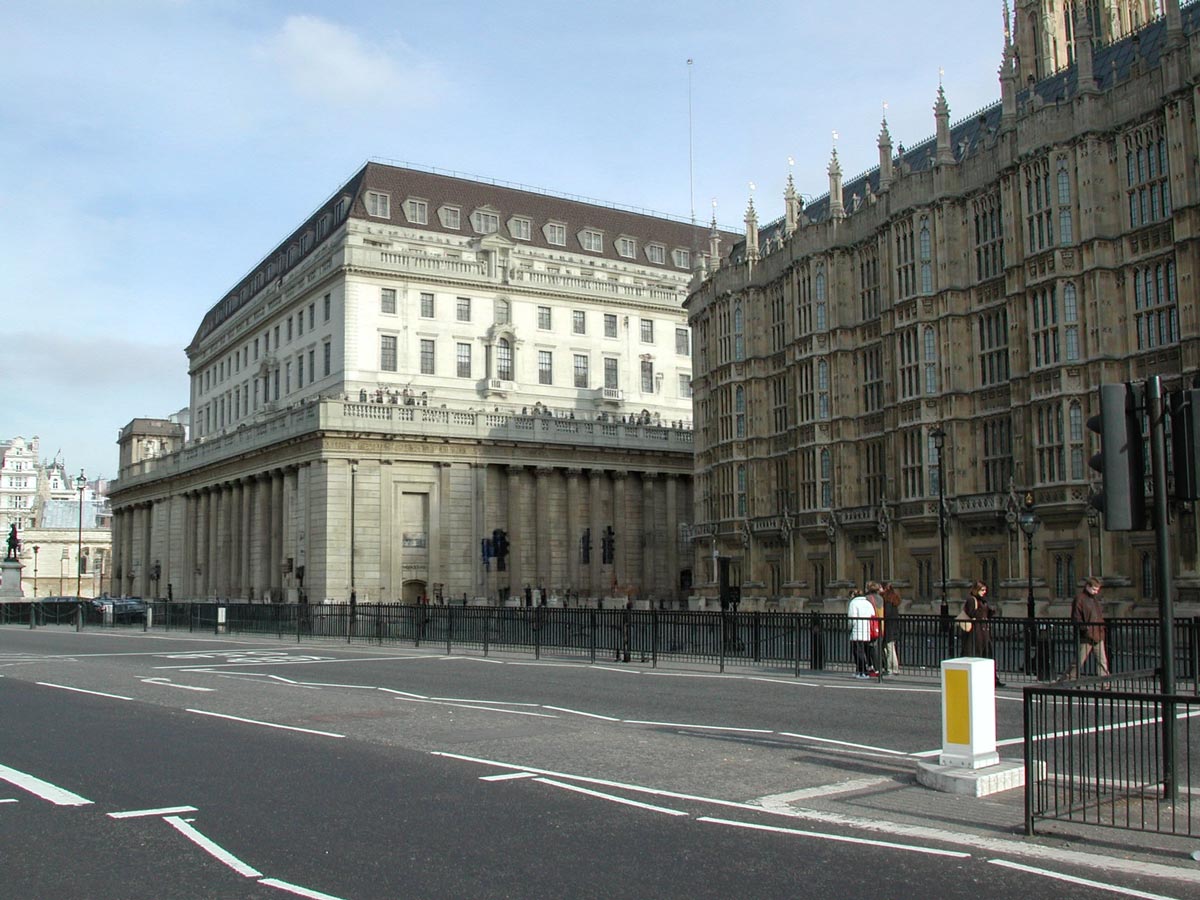
Photoshop can perform its magic with just about any pair of images. Here’s a photograph of the British parliament (you can just make out the tip of the Big Ben clocktower).
This is the Bank of England, in the City of London a couple of miles to the east. I chose this as the Reference Object, having first traced around the parliament building on the left.
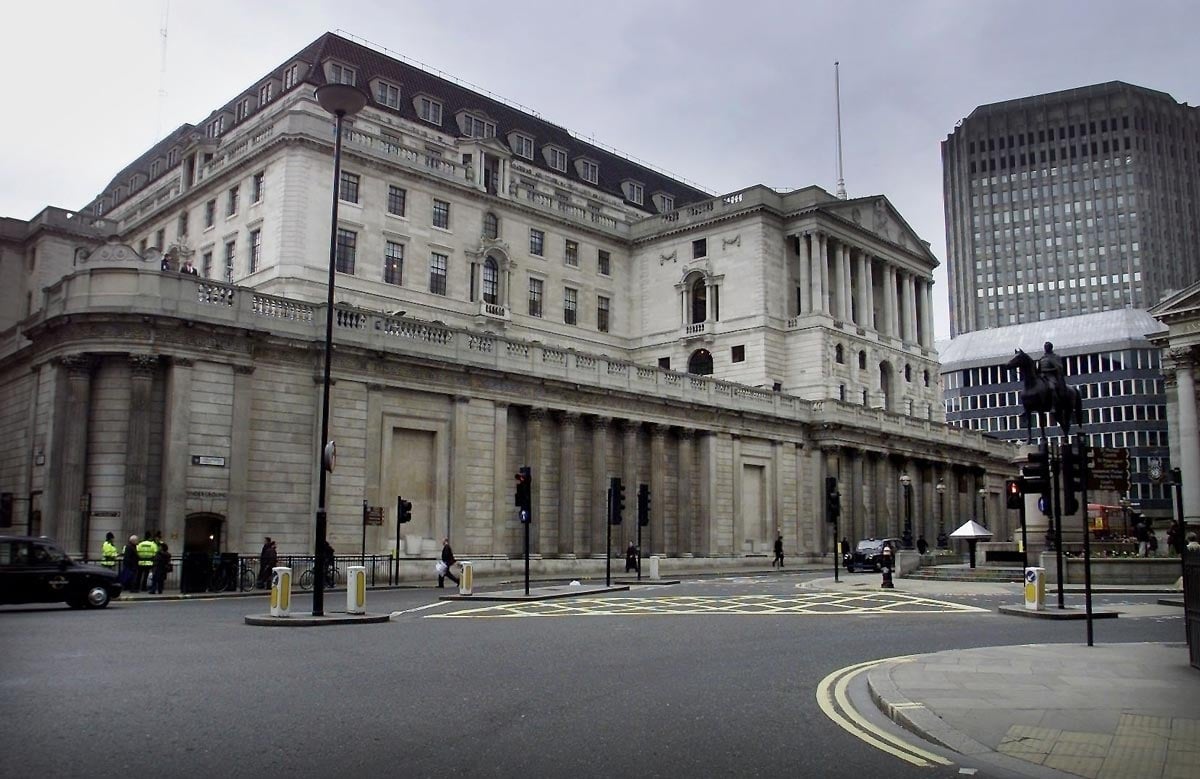
Here’s the result: it’s not an exact copy of the Bank of England, although it does feature very much the same architectural style. But look how well Photoshop has matched the perspective of the scene. In addition, it has correctly interpreted the lighting direction, and applied it to the new building, as well as allowing the original building on the right to cast a shadow on the new one.
This article was last modified on December 15, 2025
This article was first published on December 3, 2025
Commenting is easier and faster when you're logged in!

Recommended for you

Creating Custom Shadows in Photoshop
Learn how to create shadows that add a whole new layer of meaning to a photo.
CreativePro Speaker Spotlight: Deke McClelland, the Photoshop Nerd
Well, this is our last post of the 2016 series of posts called Speaker Spotlight...

How to Remove People From Photos in Photoshop
Learn how easy it is to remove a person from a photo using Photoshop’s Remove To...